


Python 操作 Elasticsearch 完整代码示例

本文介绍如何使用 Python 的 elasticsearch-py 库操作 Elasticsearch。内容涵盖环境安装、索引与映射创建、单条及批量数据索引、数据查询及删除操作。文中提供了完整的 Python 类封装代码,演示了从初始化连接、定义字段类型到执行 CRUD 操作的全过程,适用于需要集成 Elasticsearch 的 Python 开发者参考。
官方文档地址:https://elasticsearch-py.readthedocs.io/en/master/
环境安装与介绍
1、介绍
Python 提供了操作 Elasticsearch 的接口。因此,若需使用 Python 操作 Elasticsearch,首先需安装对应的 Python 包。可通过命令 pip install elasticsearch 进行安装,或从 https://pypi.python.org/pypi/elasticsearch/5.4.0 下载指定版本。
创建索引与映射
2、创建索引
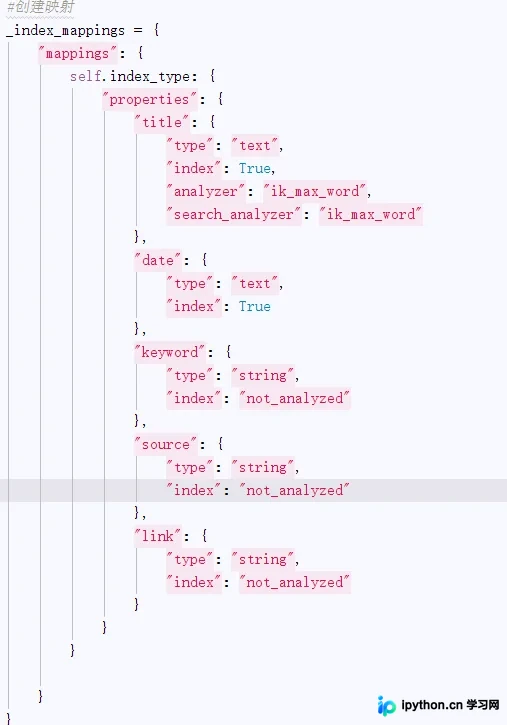
假设需要创建一个名为 ott 的索引,类型为 ott_type。该索引包含五个字段:
title:用于存储中文标题,
date:用于存储日期格式(如 2017-09-08),
keyword:用于存储中文关键字,
source:用于存储中文来源,
link:用于存储链接地址,
以下是创建映射的代码:

数据索引操作
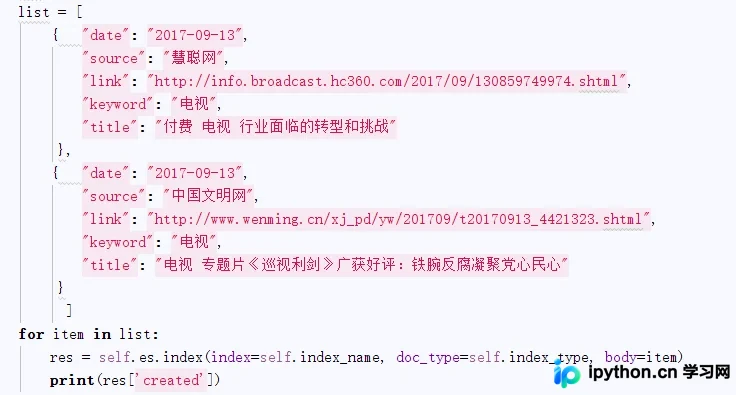
3、索引数据
批量索引
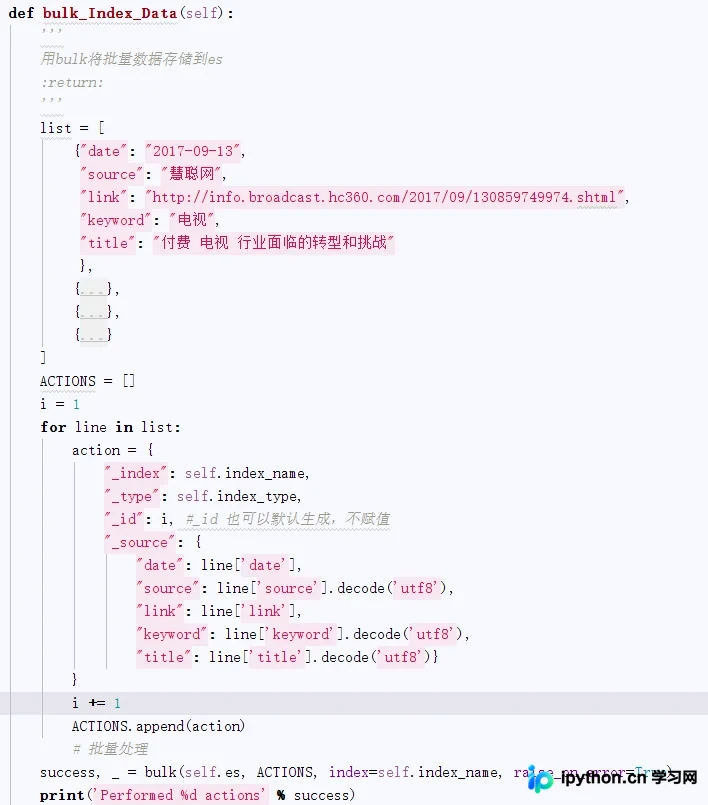
利用 bulk 方法实现数据的批量索引。
查询与删除数据
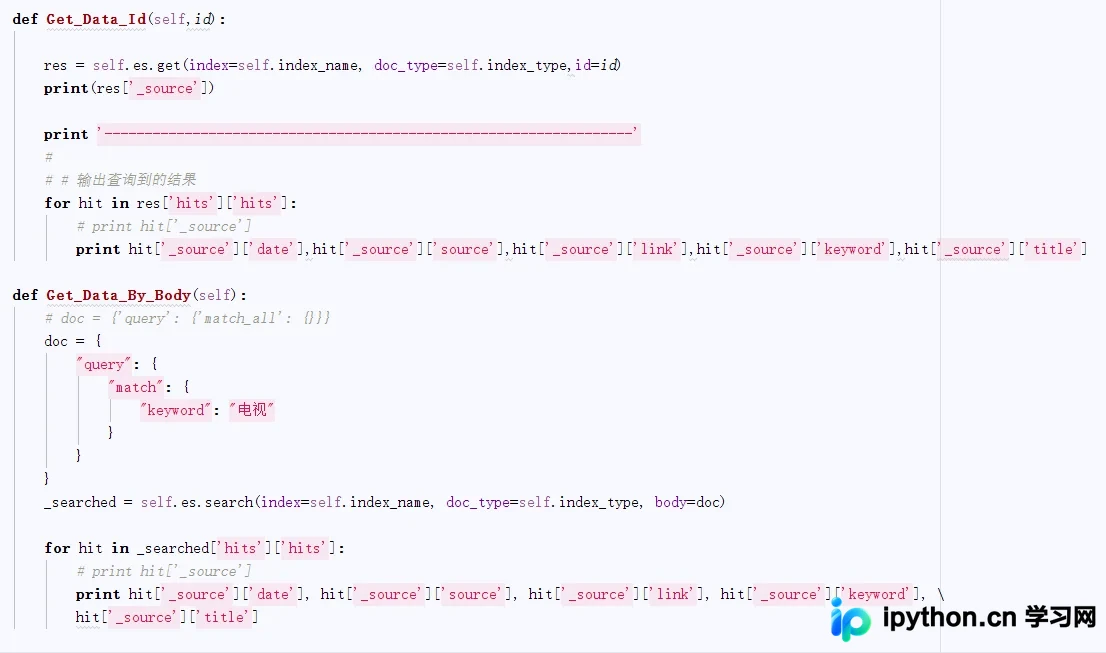
4、查询索引
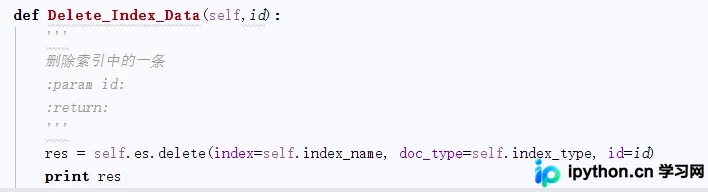
5、删除数据
完整代码示例
6、完整代码
#coding:utf8
import os
import time
from os import walk
import CSVOP
from datetime import datetime
from elasticsearch import Elasticsearch
from elasticsearch.helpers import bulk
class ElasticObj:
  def __init__(self, index_name,index_type,ip ="127.0.0.1"):
    '''
    :param index_name: 索引名称
    :param index_type: 索引类型
    '''
    self.index_name =index_name
    self.index_type = index_type
    # 无用户名密码状态
    #self.es = Elasticsearch([ip])
    #用户名密码状态
    self.es = Elasticsearch([ip],http_auth=('elastic', 'password'),port=9200)
  def create_index(self,index_name="ott",index_type="ott_type"):
    '''
    创建索引,创建索引名称为ott,类型为ott_type的索引
    :param ex: Elasticsearch对象
    :return:
    '''
    #创建映射
    _index_mappings = {
      "mappings": {
        self.index_type: {
          "properties": {
            "title": {
              "type": "text",
              "index": True,
              "analyzer": "ik_max_word",
              "search_analyzer": "ik_max_word"
            },
            "date": {
              "type": "text",
              "index": True
            },
            "keyword": {
              "type": "string",
              "index": "not_analyzed"
            },
            "source": {
              "type": "string",
              "index": "not_analyzed"
            },
            "link": {
              "type": "string",
              "index": "not_analyzed"
            }
          }
        }
      }
    }
    if self.es.indices.exists(index=self.index_name) is not True:
      res = self.es.indices.create(index=self.index_name, body=_index_mappings)
      print res
  def IndexData(self):
    es = Elasticsearch()
    csvdir = 'D:/work/ElasticSearch/exportExcels'
    filenamelist = []
    for (dirpath, dirnames, filenames) in walk(csvdir):
      filenamelist.extend(filenames)
      break
    total = 0
    for file in filenamelist:
      csvfile = csvdir + '/' + file
      self.Index_Data_FromCSV(csvfile,es)
      total += 1
      print total
      time.sleep(10)
  def Index_Data_FromCSV(self,csvfile):
    '''
    从CSV文件中读取数据,并存储到es中
    :param csvfile: csv文件,包括完整路径
    :return:
    '''
    list = CSVOP.ReadCSV(csvfile)
    index = 0
    doc = {}
    for item in list:
      if index > 1:#第一行是标题
        doc['title'] = item[0]
        doc['link'] = item[1]
        doc['date'] = item[2]
        doc['source'] = item[3]
        doc['keyword'] = item[4]
        res = self.es.index(index=self.index_name, doc_type=self.index_type, body=doc)
        print(res['created'])
      index += 1
      print index
  def Index_Data(self):
    '''
    数据存储到es
    :return:
    '''
    list = [
      {  "date": "2017-09-13",
        "source": "慧聪网",
        "link": "http://info.broadcast.hc360.com/2017/09/130859749974.shtml",
        "keyword": "电视",
        "title": "付费 电视 行业面临的转型和挑战"
       },
      {  "date": "2017-09-13",
        "source": "中国文明网",
        "link": "http://www.wenming.cn/xj_pd/yw/201709/t20170913_4421323.shtml",
        "keyword": "电视",
        "title": "电视 专题片《巡视利剑》广获好评:铁腕反腐凝聚党心民心"
       }
       ]
    for item in list:
      res = self.es.index(index=self.index_name, doc_type=self.index_type, body=item)
      print(res['created'])
  def bulk_Index_Data(self):
    '''
    用bulk将批量数据存储到es
    :return:
    '''
    list = [
      {"date": "2017-09-13",
       "source": "慧聪网",
       "link": "http://info.broadcast.hc360.com/2017/09/130859749974.shtml",
       "keyword": "电视",
       "title": "付费 电视 行业面临的转型和挑战"
       },
      {"date": "2017-09-13",
       "source": "中国文明网",
       "link": "http://www.wenming.cn/xj_pd/yw/201709/t20170913_4421323.shtml",
       "keyword": "电视",
       "title": "电视 专题片《巡视利剑》广获好评:铁腕反腐凝聚党心民心"
       },
      {"date": "2017-09-13",
       "source": "人民电视",
       "link": "http://tv.people.com.cn/BIG5/n1/2017/0913/c67816-29533981.html",
       "keyword": "电视",
       "title": "中国第21批赴刚果(金)维和部隊启程--人民 电视 --人民网"
       },
      {"date": "2017-09-13",
       "source": "站长之家",
       "link": "http://www.chinaz.com/news/2017/0913/804263.shtml",
       "keyword": "电视",
       "title": "电视 盒子 哪个牌子好? 吐血奉献三大选购秘笈"
       }
    ]
    ACTIONS = []
    i = 1
    for line in list:
      action = {
        "_index": self.index_name,
        "_type": self.index_type,
        "_id": i, #_id 也可以默认生成,不赋值
        "_source": {
          "date": line['date'],
          "source": line['source'].decode('utf8'),
          "link": line['link'],
          "keyword": line['keyword'].decode('utf8'),
          "title": line['title'].decode('utf8')}
      }
      i += 1
      ACTIONS.append(action)
      # 批量处理
    success, _ = bulk(self.es, ACTIONS, index=self.index_name, raise_on_error=True)
    print('Performed %d actions' % success)
  def Delete_Index_Data(self,id):
    '''
    删除索引中的一条
    :param id:
    :return:
    '''
    res = self.es.delete(index=self.index_name, doc_type=self.index_type, id=id)
    print res
  def Get_Data_Id(self,id):
    res = self.es.get(index=self.index_name, doc_type=self.index_type,id=id)
    print(res['_source'])
    print '------------------------------------------------------------------'
    #
    # # 输出查询到的结果
    for hit in res['hits']['hits']:
      # print hit['_source']
      print hit['_source']['date'],hit['_source']['source'],hit['_source']['link'],hit['_source']['keyword'],hit['_source']['title']
  def Get_Data_By_Body(self):
    # doc = {'query': {'match_all': {}}}
    doc = {
      "query": {
        "match": {
          "keyword": "电视"
        }
      }
    }
    _searched = self.es.search(index=self.index_name, doc_type=self.index_type, body=doc)
    for hit in _searched['hits']['hits']:
      # print hit['_source']
      print hit['_source']['date'], hit['_source']['source'], hit['_source']['link'], hit['_source']['keyword'], \
      hit['_source']['title']

obj =ElasticObj("ott","ott_type",ip ="47.93.117.127")
# obj = ElasticObj("ott1", "ott_type1")
# obj.create_index()
obj.Index_Data()
# obj.bulk_Index_Data()
# obj.IndexData()
# obj.Delete_Index_Data(1)
# csvfile = 'D:/work/ElasticSearch/exportExcels/2017-08-31_info.csv'
# obj.Index_Data_FromCSV(csvfile)
# obj.GetData(es)
总结
总结
以上所述是小编给大家介绍的 Python 操作 Elasticsearch 的完整代码,希望对大家有所帮助,如果大家有任何疑问欢迎给我留言,小编会及时回复大家的!
本站声明
本文内容仅供参考,不代表本站观点。转载或引用请注明出处。如发现内容问题,请通过联系我们页面反馈。















