


Django 返回 JSON 数据的两种实现方式与注意事项

本文介绍在 Django 框架中返回 JSON 数据的两种主要方法:使用 Python 原生 json 包配合 HttpResponse,以及直接使用 Django 内置的 JsonResponse。重点解析了 Content-Type 头部的设置、safe 参数的作用机制,以及处理非字典类型数据(如列表)时的报错原因与解决方案,帮助开发者避免常见错误。
Django 返回 JSON 数据概述
在前后端交互频繁的网站应用中,JSON 是传输大量数据的首选格式。在 Django 框架中实现 JSON 数据传输,主要有两种途径:一是利用 Python 内置的 JSON 模块进行序列化,二是使用 Django 提供的 JsonResponse 类来封装响应。
方法一:使用 Python 原生 JSON 包
方法一:使用 Python 的 JSON 包
from django.shortcuts import HttpResponse
import json

def testjson(request):
 data={
  'patient_name': '张三',
  'age': '25',
  'patient_id': '19000347',
  '诊断': '上呼吸道感染',
 }
 return HttpResponse(json.dumps(data))
假设 data 变量存储的是从数据库查询到的结果,我们可以通过浏览器访问 testjson 接口来查看效果。
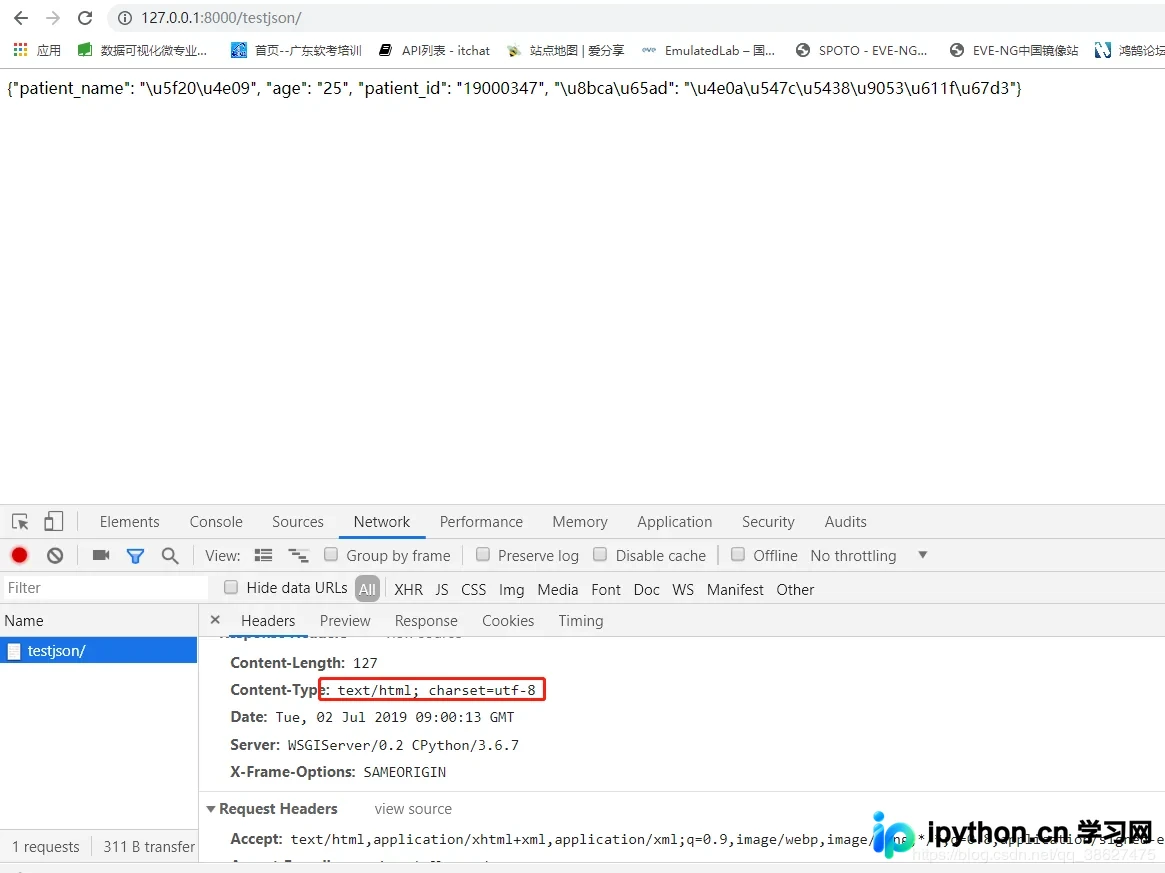
如果在浏览器中看到的是乱码,这并非错误,而是中文在内存中二进制编码的直接展示。借助 JSON 转换工具即可正确解析出中文内容。
检查 Response Headers 响应头,会发现 Content-Type 字段的值为 text/html。既然代码中明确传递了 JSON 数据,为何 Content-Type 仍显示为字符串类型?这是因为默认情况下,Django 并未自动告知浏览器该响应为 JSON 格式。我们需要手动指定 MIME 类型以解决这个问题。
def testjson(request):
 data={
  'patient_name': '张三',
  'age': '25',
  'patient_id': '19000347',
  '诊断': '上呼吸道感染',
 }
 return HttpResponse(json.dumps(data), content_type='application/json')
再次访问网页,观察变化:
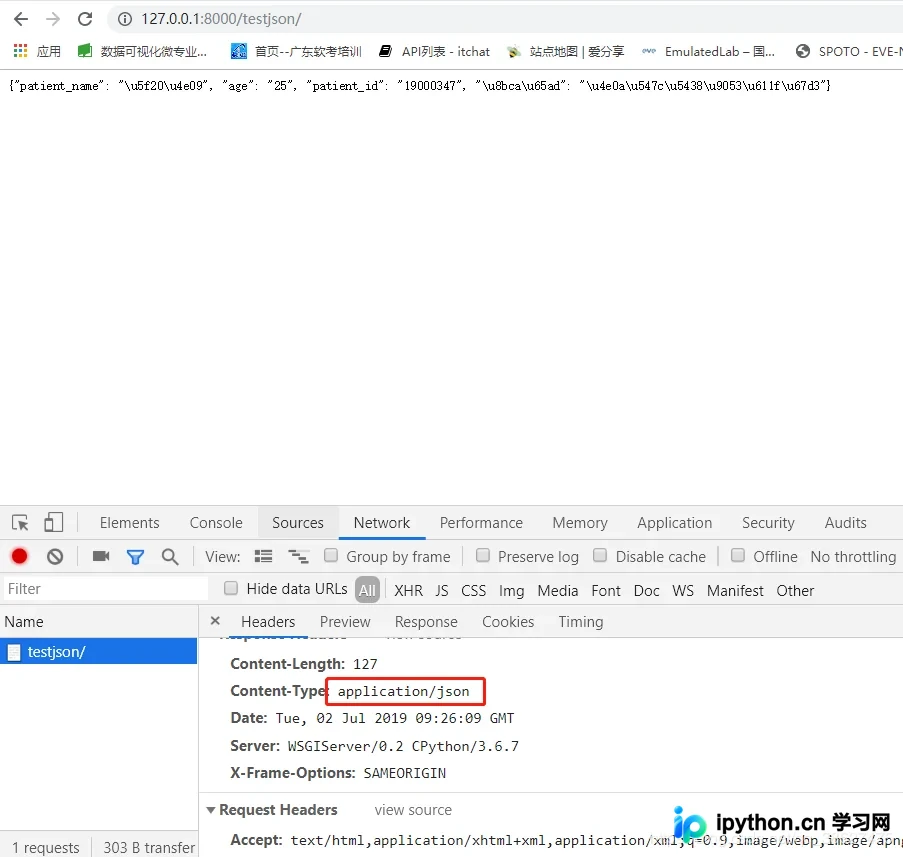
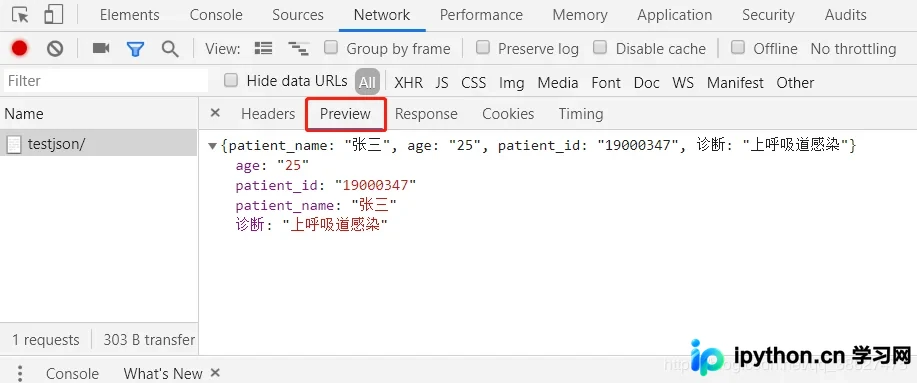
此时数据已正确以 JSON 格式传输,在浏览器的 Preview 预览面板中可以正常查看结构化数据。
方法二:使用 Django JsonResponse
方法二:使用 JsonResponse 进行传输
def testjson(request):
 data={
  'patient_name': '张三',
  'age': '25',
  'patient_id': '19000347',
  '诊断': '上呼吸道感染',
 }
 return JsonResponse(data)
访问网页验证结果:
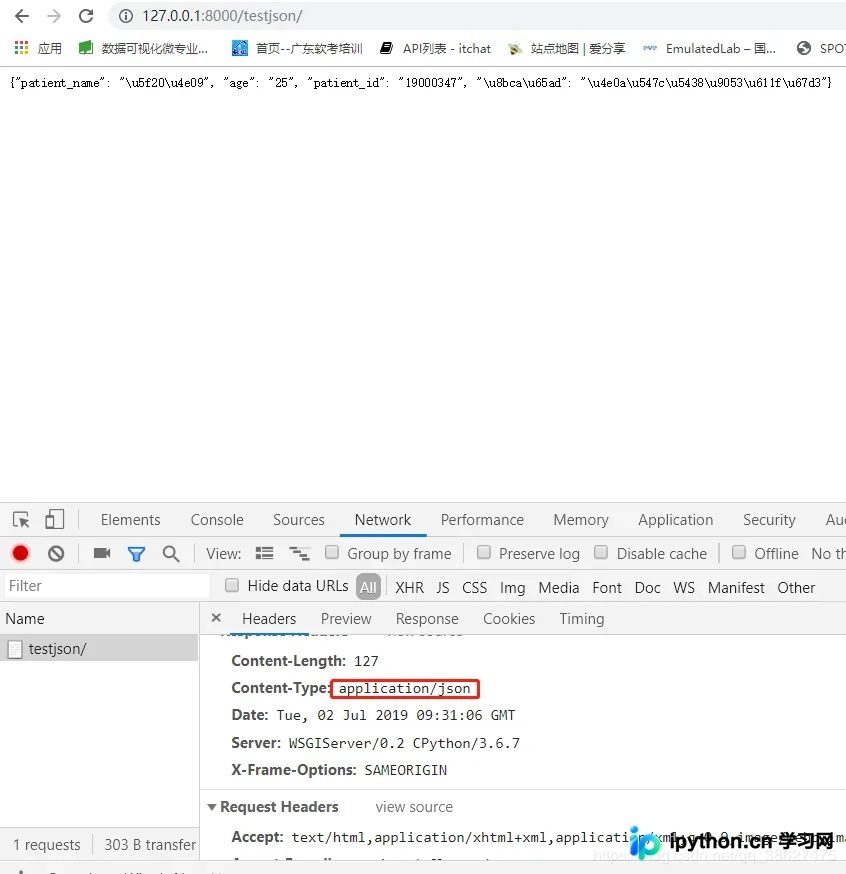
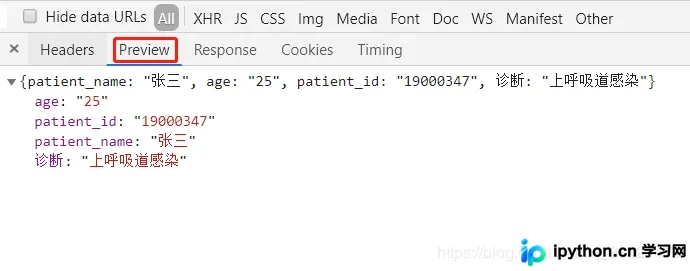
查看 JsonResponse 的源码实现:
class JsonResponse(HttpResponse):
  """
  An HTTP response class that consumes data to be serialized to JSON.

  :param data: Data to be dumped into json. By default only ``dict`` objects
   are allowed to be passed due to a security flaw before EcmaScript 5. See
   the ``safe`` parameter for more information.
  :param encoder: Should be a json encoder class. Defaults to
   ``django.core.serializers.json.DjangoJSONEncoder``.
  :param safe: Controls if only ``dict`` objects may be serialized. Defaults
   to ``True``.
  :param json_dumps_params: A dictionary of kwargs passed to json.dumps().
  """

  def __init__(self, data, encoder=DjangoJSONEncoder, safe=True,
         json_dumps_params=None, **kwargs):
    if safe and not isinstance(data, dict):
      raise TypeError(
        'In order to allow non-dict objects to be serialized set the '
        'safe parameter to False.'
      )
    if json_dumps_params is None:
      json_dumps_params = {}
    kwargs.setdefault('content_type', 'application/json')
    data = json.dumps(data, cls=encoder, **json_dumps_params)
    super().__init__(content=data, **kwargs)
其内部依然调用 json.dumps 将数据序列化为 JSON 字符串,且支持列表等类型。我们尝试修改 testjson 函数,传入列表数据:
def testjson(request):
listdata = ["张三", "25", "19000347", "上呼吸道感染"]
return JsonResponse(listdata)
程序运行时报错。
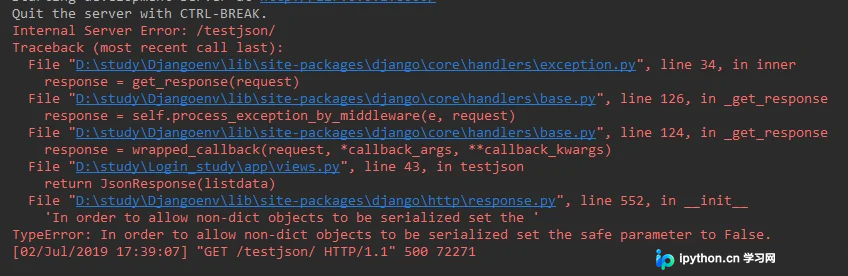
报错信息为:In order to allow non-dict objects to be serialized set the safe parameter to False。该错误提示表明,当尝试序列化非字典类型的数据时,必须将 safe 参数设置为 False。回顾上方 JsonResponse 的源码,可以看到初始化方法中对此有明确限制。

修改代码以解决该问题:
def testjson(request):
  listdata = ["张三", "25", "19000347", "上呼吸道感染"]
  return JsonResponse(listdata, safe=False)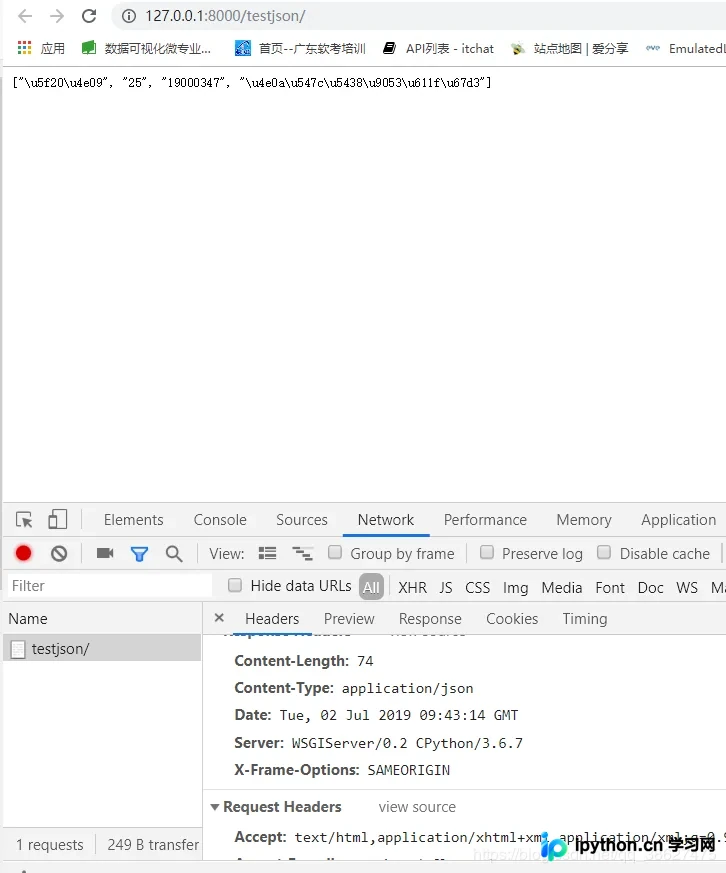
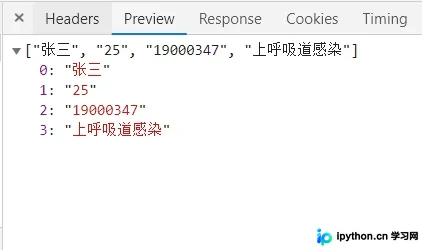
safe 参数的作用与非字典数据处理
这一机制的实际应用场景是什么?
从数据库获取的数据有时是列表类型,特别是使用 cx_Oracle 包连接 Oracle 数据库时,由于该驱动不支持直接输出字典格式,返回的往往是一个 list。此时,使用 JsonResponse(data, safe=False) 即可直接将列表转换为 JSON 格式并发送至前端。
至此,关于 Django 返回 JSON 数据的实现示例介绍完毕。如需了解更多 Django 返回 JSON 的相关内容,建议搜索本站过往文章或继续浏览后续推荐内容,感谢大家的支持!
本站声明
本文内容仅供参考,不代表本站观点。转载或引用请注明出处。如发现内容问题,请通过联系我们页面反馈。















