


Python实现钉钉自定义机器人加签安全通信详解

发布时间:2026-10-14 |
4人浏览过
本文详细介绍如何在Python中通过自定义Webhook向钉钉机器人发送消息,重点讲解基于HmacSHA256算法的加签安全机制。内容涵盖时间戳生成、签名计算、URL拼接及POST请求发送的完整代码示例,帮助开发者实现安全可靠的自动化通知功能。
钉钉自定义机器人配置
配置钉钉自定义机器人
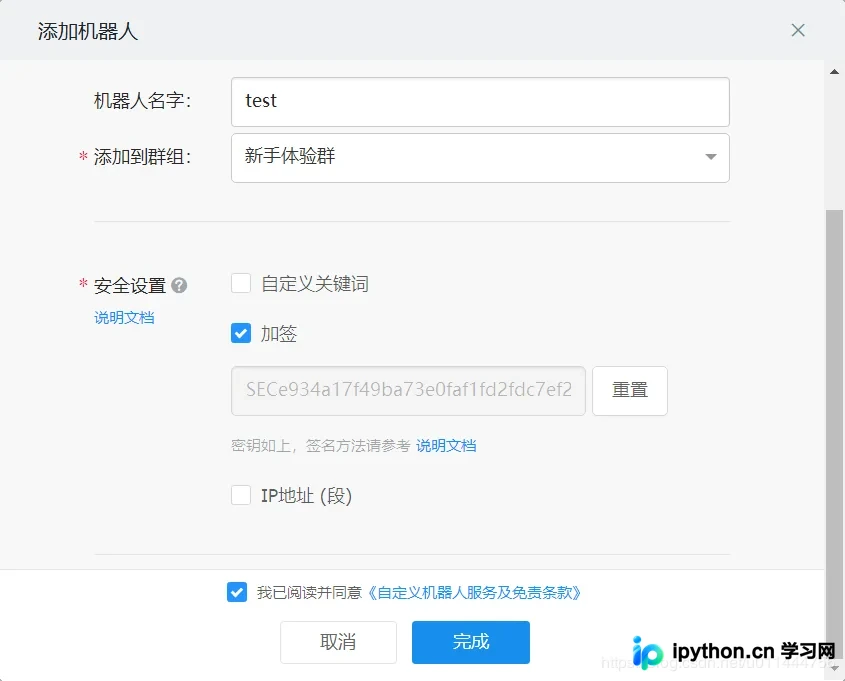
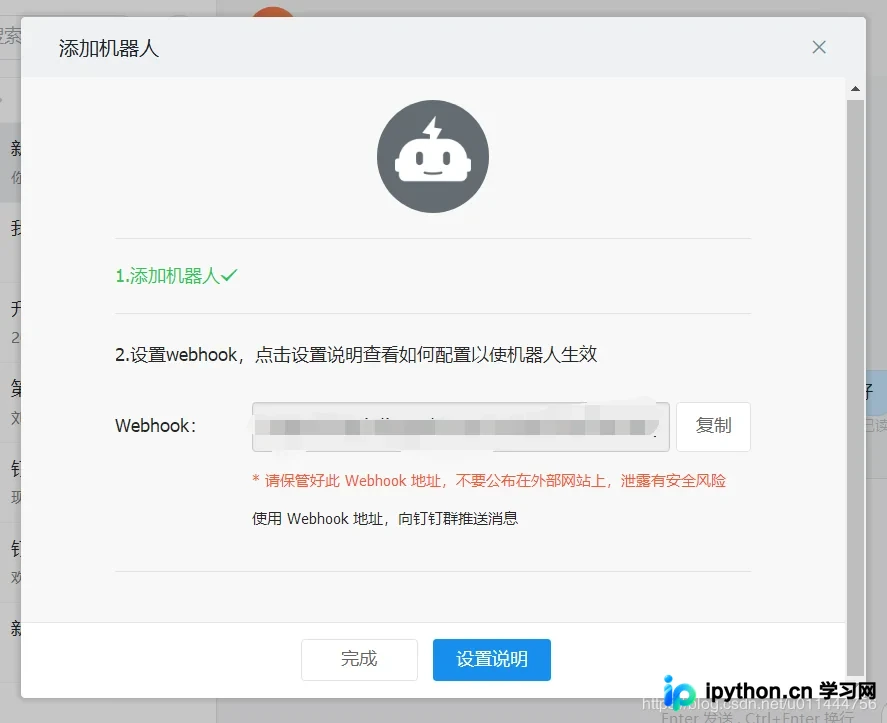
编写Python代码以调用钉钉机器人提供的Webhook接口
参考钉钉自定义机器人官方文档获取详细配置指南
加签安全机制实现
采用加签方式确保通信安全
首先,将当前时间戳(毫秒)与密钥通过换行符连接作为签名字符串,使用HmacSHA256算法计算签名,随后进行Base64编码,最后对签名参数执行URL编码(需使用UTF-8字符集),从而生成最终签名。
|
参数 |
说明 |
|
timestamp |
当前时间戳,单位是毫秒,与请求调用时间误差不能超过1小时 |
|
secret |
密钥,机器人安全设置页面,加签一栏下面显示的SEC开头的字符串 |
import requests


#python 3.8
import time
import hmac
import hashlib
import base64
import urllib.parse

timestamp = str(round(time.time() * 1000))
secret = '加签时生成的密钥'
secret_enc = secret.encode('utf-8')
string_to_sign = '{}\n{}'.format(timestamp, secret)
string_to_sign_enc = string_to_sign.encode('utf-8')
hmac_code = hmac.new(secret_enc, string_to_sign_enc, digestmod=hashlib.sha256).digest()
sign = urllib.parse.quote_plus(base64.b64encode(hmac_code))
print(timestamp)
print(sign)
接着,将时间戳与第一步生成的签名值拼接至Webhook URL中。
|
参数 |
说明 |
|
timestamp |
第一步使用到的时间戳 |
|
sign |
第一步得到的签名值 |
构造完整的请求URL,格式为:https://oapi.dingtalk.com/robot/send?access_token=XXXXXX×tamp=XXX&sign=XXX
发送请求与结果验证
执行HTTP POST请求发送消息
url='生成的Webhook×tamp={}&sign={}'.format(timestamp, sign)
print (url)
headers={
'Content-Type':'application/json'
}
json={"msgtype": "text",
"text": {
"content": "888"
} }
resp=requests.post(url=url,headers=headers,json=json)
print (resp.text)验证接口返回结果
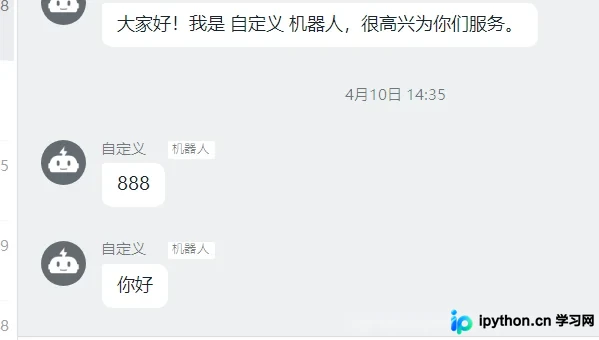
Python完整代码示例
完整实现代码示例
import requests
#python 3.8
import time
import hmac
import hashlib
import base64
import urllib.parse
timestamp = str(round(time.time() * 1000))
secret = '加签时生成的密钥'
secret_enc = secret.encode('utf-8')
string_to_sign = '{}\n{}'.format(timestamp, secret)
string_to_sign_enc = string_to_sign.encode('utf-8')
hmac_code = hmac.new(secret_enc, string_to_sign_enc, digestmod=hashlib.sha256).digest()
sign = urllib.parse.quote_plus(base64.b64encode(hmac_code))
print(timestamp)
print(sign)
url='生成的Webhook×tamp={}&sign={}'.format(timestamp, sign)
print (url)
headers={
'Content-Type':'application/json'
}
json={"msgtype": "text",
"text": {
"content": "测试"
} }
resp=requests.post(url=url,headers=headers,json=json)
print (resp.text)以上就是关于Python使用自定义钉钉机器人的示例代码文章的全部内容,更多相关Python自定义钉钉机器人内容请搜索本站以前的文章或继续浏览下面的相关文章希望大家以后多多支持本站!
本站声明
本文内容仅供参考,不代表本站观点。转载或引用请注明出处。如发现内容问题,请通过联系我们页面反馈。















