


基于Python使用OpenCV实现物体轮廓排序

本文介绍如何使用OpenCV和Python对图像中的物体轮廓进行排序。通过提取边缘、获取轮廓并计算外接矩形,实现按从左到右或从上到下的顺序排列。代码兼容OpenCV不同版本,提供完整排序函数示例及可视化结果。
1 引言
在图像处理任务中,获取物体轮廓是常见需求,例如计算目标周长或面积。利用Opencv库中的findContours函数,可以便捷地提取每个目标的轮廓。然而,直接可视化得到的轮廓顺序往往是杂乱的,如左侧图示所示。
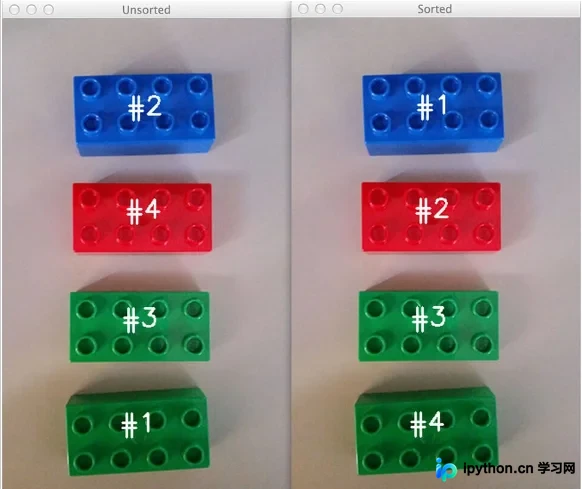
本节旨在演示如何对提取出的物体轮廓进行有序排列,支持从上到下或从左到右两种排序方式,从而获得如右侧图示所示的有序可视化效果。
2 栗子
2.1 读取图像
首先,我们需要读取输入图像,并生成其边缘检测图。具体实现代码如下:
image = cv2.imread(args['image'])
accumEdged = np.zeros(image.shape[:2], dtype='uint8')
for chan in cv2.split(image):
    chan = cv2.medianBlur(chan, 11)
    edged = cv2.Canny(chan, 50, 200)
    accumEdged = cv2.bitwise_or(accumEdged, edged)
cv2.imshow('edge map', accumEdged)
运行上述代码后的结果如下:
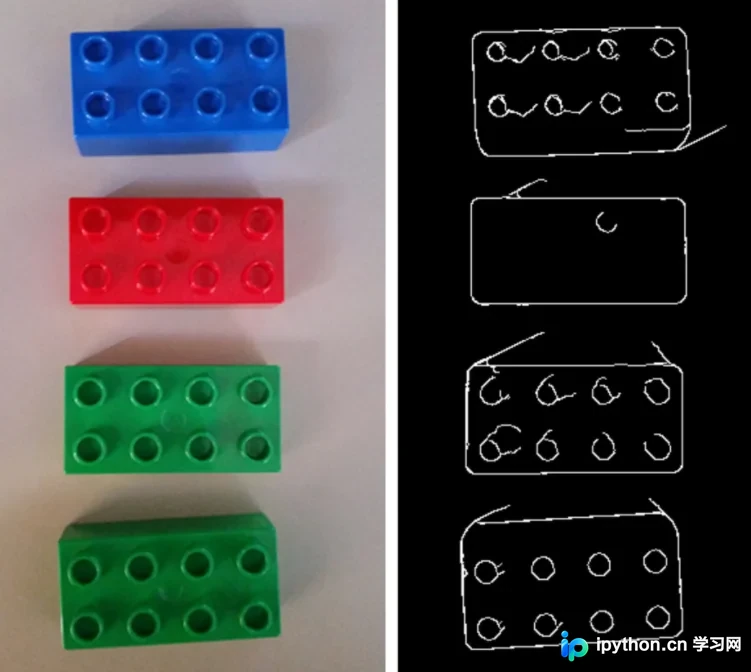
左侧展示的是原始图像,右侧则是经过边缘检测处理后的图像。
2.2 获取轮廓
在opencv-python库中,查找图像轮廓的API是findContours 函数。该函数以二值图像为输入,能够输出物体的外轮廓、内轮廓等多种层级信息。
具体代码如下:
cnts = cv2.findContours(accumEdged.copy(), cv2.RETR_EXTERNAL,  cv2.CHAIN_APPROX_SIMPLE)
cnts = grab_contours(cnts)
cnts = sorted(cnts, key=cv2.contourArea, reverse=True)[:5]
orig = image.copy()
# unsorted
for (i, c) in enumerate(cnts):
    orig = draw_contour(orig, c, i)
cv2.imshow('Unsorted', orig)
cv2.imwrite("./Unsorted.jpg", orig)
运行结果如下:
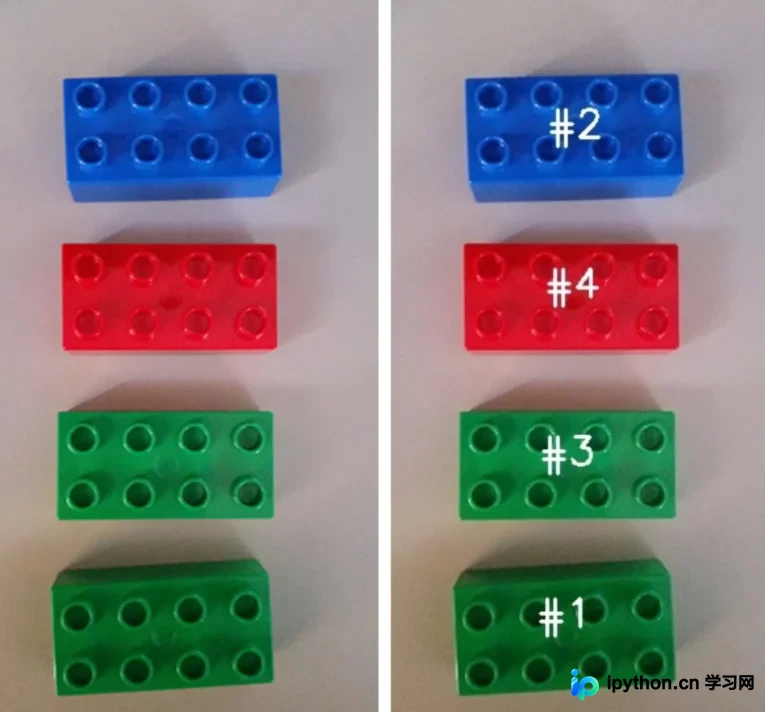
需要注意的是,在OpenCV2.X版本中,findContours函数返回两个值。
该函数的声明形式如下:
contours, hierarchy = cv2.findContours(binary,cv2.RETR_TREE,cv2.CHAIN_APPROX_SIMPLE)
而在OpenCV3及以上版本中,该函数的声明形式变为:
image, contours, hierarchy = cv2.findContours(binary, cv2.RETR_TREE, cv2.CHAIN_APPROX_SIMPLE)
为了兼容这两种不同的返回模式,我们实现了一个名为grab_contours 的辅助函数,用于根据具体版本选择正确的轮廓返回下标。
相关代码如下:
def grab_contours(cnts):
    # if the length the contours tuple returned by cv2.findContours
    # is '2' then we are using either OpenCV v2.4, v4-beta, or
    # v4-official
    if len(cnts) == 2:
        cnts = cnts[0]

    # if the length of the contours tuple is '3' then we are using
    # either OpenCV v3, v4-pre, or v4-alpha
    elif len(cnts) == 3:
        cnts = cnts[1]

    return cnts
2.3 轮廓排序
经过上述步骤,我们已获取图像中所有物体的轮廓。接下来,定义sort_contours函数来实现轮廓排序。该函数通过method参数指定排序方向,例如从左往右或从右往左。
具体实现代码如下:
def sort_contours(cnts, method='left-to-right'):
    # initialize the reverse flag and sort index
    reverse = False
    i = 0
    # handle if sort in reverse
    if method == 'right-to-left' or method == 'bottom-to-top':
        reverse = True
    # handle if sort against y rather than x of the bounding box
    if method == 'bottom-to-top' or method == 'top-to-bottom':
        i = 1

    boundingBoxes = [cv2.boundingRect(c) for c in cnts]
    (cnts, boundingBoxes) = zip(*sorted(zip(cnts, boundingBoxes), key=lambda b: b[1][i], reverse=reverse))
    return (cnts, boundingBoxes)
上述代码的核心逻辑是先计算每个轮廓的外接矩形框,随后根据外接框的x坐标或y坐标进行排序,从而实现轮廓的顺序排列。
调用该函数的代码如下:
# sorted
(cnts, boundingboxes) = sort_contours(cnts, method=args['method'])
for (i, c) in enumerate(cnts):
    image = draw_contour(image, c, i)
cv2.imshow('Sorted', image)
cv2.waitKey(0)
运行结果如下:
2.4 其他结果
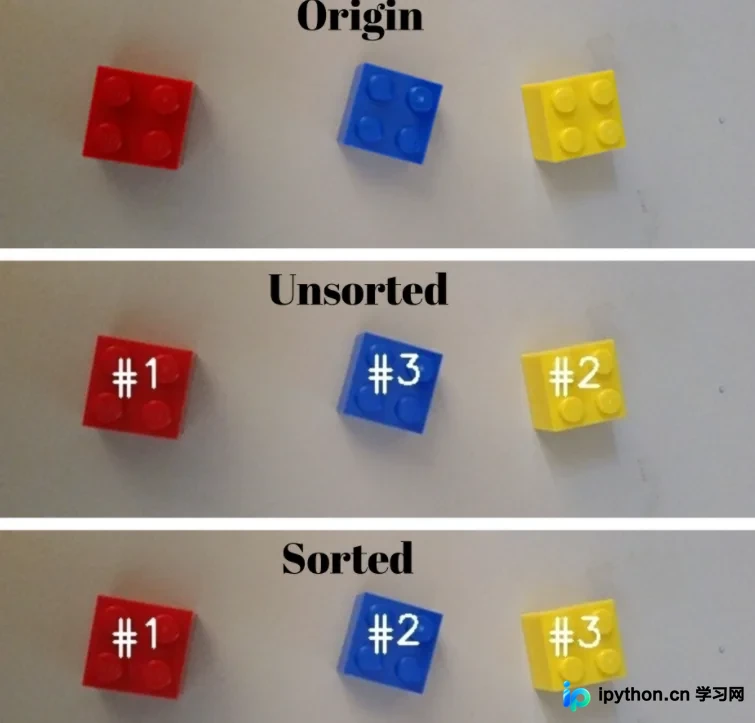
利用上述代码逻辑,我们也可以实现从左往右的排序效果,如下图所示:
3 总结
本文利用OpenCV实现了按指定顺序对物体轮廓进行排序的功能,并提供了完整的代码示例供参考。
至此,关于基于Python使用OpenCV进行物体轮廓排序的介绍已完成。如需了解更多相关OpenCV轮廓排序内容,可搜索本站往期文章或浏览后续相关文章。感谢大家的支持!
本站声明
本文内容仅供参考,不代表本站观点。转载或引用请注明出处。如发现内容问题,请通过联系我们页面反馈。















