


Python字符串操作详解:索引、切片、检索、拼接与修剪

发布时间:2026-10-15 |
5人浏览过
本文详细介绍Python中字符串的不可变特性及索引切片规则,涵盖五种检索方法(count、find、index、startswith、endswith)、join拼接与split/partition分割技巧,以及大小写转换和strip系列修剪函数的具体用法与参数差异,帮助开发者掌握字符串处理核心技能。
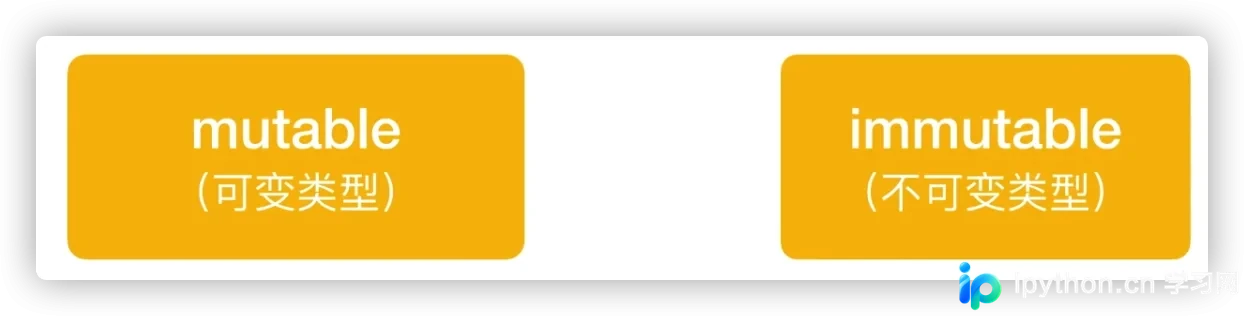
字符串在Python中属于不可变类型,这意味着虽然可以重新赋值给变量,但无法通过索引直接修改字符串中的单个字符。若需改变内容,只能通过拼接操作创建新的字符串变量。
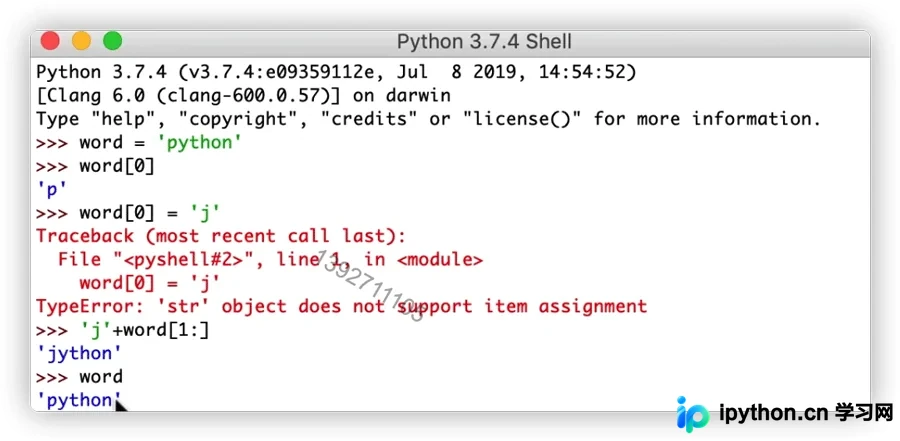
索引与切片操作是字符串处理的基础。需要注意的是,当访问的索引超出字符串长度范围时,程序会抛出越界错误。
切片操作允许提取字符串的子序列。
与索引不同,切片在越界时不会报错,而是自动调整边界。切片结果不包含右端索引值。书写切片时,起始索引必须小于或等于结束索引,否则将返回空字符串。
motto = '积善有家,必有余庆。'
# 索引
print(motto[0])
# print(motto[10]) 报错

# 切片  不包含右侧  从小到大
print(motto[0:9])
print(motto[0:10])
print(motto[0:100])
print(motto[0:])
print(motto[-10:])
print(motto[-100:])
print(motto[-5:-1])
print(motto[0:10:2])
print(motto[:5])
print(motto[3:2])  # 若大到小,则返回''
print(motto[2:3])
一、5种字符串检索方法
s = "ILovePython"
# 1. str.count('',起点,终点)
print(s.count('o', 1, 5))
print(s.count('o'))

# 2. str.find('',起点,终点)  找不到返回-1
print(s.find('o',3))
print(s.find('o',3,5))
print(s.find('o'))

# 3. str.index('',起点,终点)   找不到则报错
print(s.index('o'))
print(s.index('Py'))

# 4. str.startswith('',起点,终点)
print(s.startswith("IL"))
print(s.startswith("L"))

# 5. str.endswith('',起点,终点)
print(s.endswith("on"))
print(s.endswith("n"))
print(s.endswith("e"))
1
2
9
-1
2
2
5
True
False
True
True
False二、join字符串拼接方法 [列表/元组 --> 字符串]
该方法用于将列表或元组中的元素拼接为单个字符串。
# join()函数
list_val = ['www', 'baidu', 'com']
str_val = '.'.join(list_val)
print(str_val)

tuple = ('Users', 'andy', 'code')
str_val = '/'.join(tuple)
print(str_val)
三、3种字符串分割方法 [字符串 --> 列表/元组]
# 1. split('',分割次数)   默认从空格 \n \r \t切掉
s = "我 爱\t你\nPy thon"
print(s.split())
s1 = "python我爱你Python"
print(s1.split("y"))
s2 = "python我爱你Python"
print(s1.split("y", 1))

# 2. splitlines()  默认从换行符rt切掉
s = "我 爱\t你\nPy thon"
print(s.splitlines())

# 3. partition('')  不切掉 分成3元素元组
s = "我爱你Python"
print(s.partition('爱'))
['我', '爱', '你', 'Py', 'thon']
['p', 'thon我爱你P', 'thon']
['p', 'thon我爱你Python']
['我 爱\t你', 'Py thon']
('我', '爱', '你Python')split()和splitlines()在默认行为上存在差异:
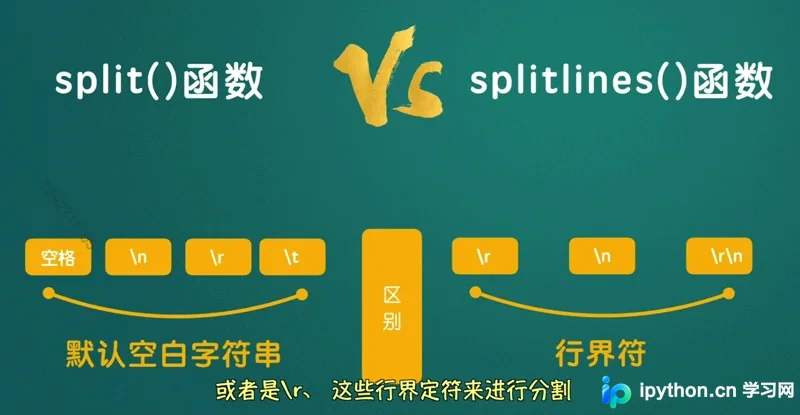
split()和artition()对比:split()执行切分后返回列表,而partition()保留分隔符并返回包含三部分元素的元组。
四、5种大小写转换方法
string_val = 'I love Python'
print(string_val.upper())
print(string_val.lower())
print(string_val.title())  # 每个单词第一个字母变大写
print(string_val.capitalize())  # 仅第一个字母变大写
print(string_val.swapcase())
I LOVE PYTHON
i love python
I Love Python
I love python
i LOVE pYTHON五、3种字符串修剪方法
默认情况下,这些方法会修剪首尾的空格以及换行符(\t、\r)。用户可以通过指定参数来设定需要修剪的其他特定符号。
lstrip() 仅删除左侧字符
rstrip() 仅删除右侧字符
s = "     ILovepython"
print(s)
print(s.strip())
print(s.strip('     I'))
print(s.strip('n'))

s1 = "00000003210Runoob0123000000"
print(s1.strip('0'))
print(s1.lstrip('0'))
print(s1.rstrip('0'))
ILovepython
ILovepython
Lovepython
3210Runoob0123
3210Runoob0123000000
00000003210Runoob0123
以上即为Python字符串操作的详细介绍,更多相关内容可参考本站过往文章或继续浏览后续章节,感谢支持。
本站声明
本文内容仅供参考,不代表本站观点。转载或引用请注明出处。如发现内容问题,请通过联系我们页面反馈。















