


Python实现文字转语音工具:Tkinter界面与打包教程

发布时间:2026-10-15 |
6人浏览过
本文详细介绍如何使用Python的pyttsx3库结合Tkinter图形界面,开发一款简易的文字转语音转换工具。文章提供了完整的源代码示例,涵盖界面布局、文本获取及语音播放逻辑,并附带使用PyInstaller将Python脚本打包为独立可执行文件(exe)的配置指南,帮助开发者快速实现本地语音合成应用。
Python文字转语音核心代码实现
直接展示核心实现代码。源代码如下:
from tkinter import *
import pyttsx3

class Application(Frame):
    def __init__(self,master=None):
        super().__init__(master)
        self.master = master
        self.pack()
        self.creatWidget()

    # BING INPUT
    def creatWidget(self):
        self.w1 = Text(self, width=80, heigh=40, bg='lightcyan') # 宽度为80个字母(40个汉字),高度为1个行高
        self.w1.pack()
        Button(self, text="转语音", command=self.returnText).pack(side="left")

    # 返回信息
    def returnText(self):
        # Indexes(索引):用来指向Text组件中文本的位置,Text的组件索引也是对应实际字符之间的位置
        # 行号以1开始,列号以0开始
        result=self.w1.get(1.0, END)
        # print("所有文本内容:\n", result)
        # messagebox.showinfo("所有的文本", self.w1.get(1.0, END))
        engine = pyttsx3.init()
        engine.say(result)
        engine.runAndWait()


if __name__ == '__main__':
    root = Tk()
    root.geometry("800x600+10+10")
    root.title("测试")
    app = Application(root)
    root.mainloop()
用于将Python脚本打包为独立可执行文件所需的配置文件。
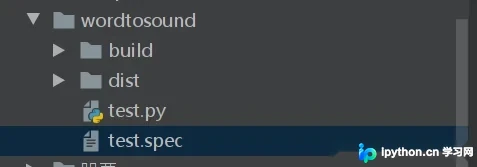
使用PyInstaller打包可执行文件配置
# -*- mode: python ; coding: utf-8 -*-


block_cipher = None


a = Analysis(['test.py'],
             pathex=[],
             binaries=[],
             datas=[],
             hiddenimports=[],
             hookspath=[],
             hooksconfig={},
             runtime_hooks=[],
             excludes=[],
             win_no_prefer_redirects=False,
             win_private_assemblies=False,
             cipher=block_cipher,
             noarchive=False)
pyz = PYZ(a.pure, a.zipped_data,
             cipher=block_cipher)

exe = EXE(pyz,
          a.scripts,
          a.binaries,
          a.zipfiles,
          a.datas,
          [],
          name='test',
          debug=False,
          bootloader_ignore_signals=False,
          strip=False,
          upx=True,
          upx_exclude=[],
          runtime_tmpdir=None,
          console=True,
          disable_windowed_traceback=False,
          target_arch=None,
          codesign_identity=None,
          entitlements_file=None )
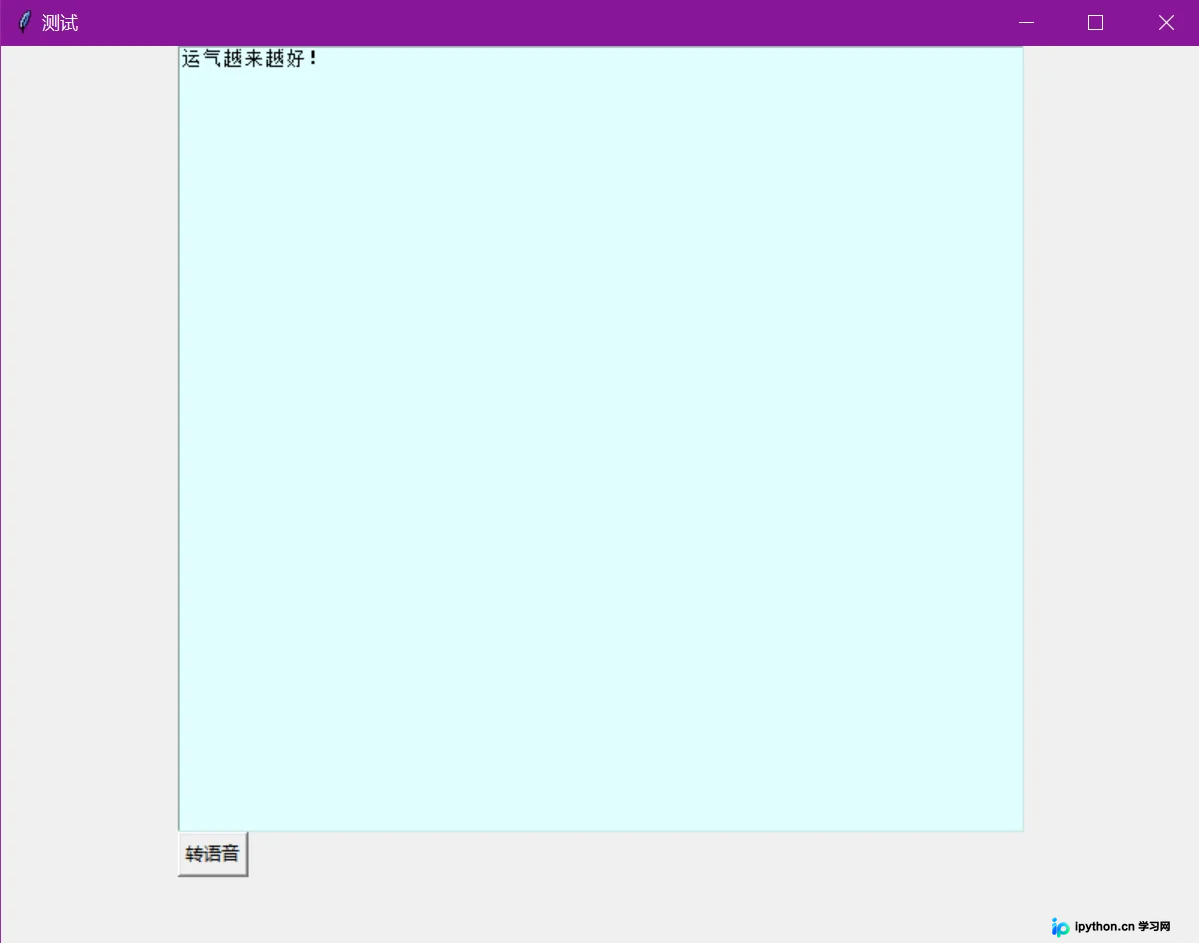
程序运行效果展示。
以上就是关于基于Python编写简易文字语音转换器的详细介绍,更多相关Python文字语音转换内容请搜索本站以前的文章或继续浏览下面的相关文章希望大家以后多多支持本站!
本站声明
本文内容仅供参考,不代表本站观点。转载或引用请注明出处。如发现内容问题,请通过联系我们页面反馈。















