


Python实现钉钉机器人运维告警脚本

发布时间:2026-10-12 |
2人浏览过
本文介绍如何使用Python脚本调用钉钉开放平台API,实现自动发送运维监控告警消息。通过构造HTTP请求并携带Access Token、手机号及告警内容,可快速集成至现有监控系统中,实现实时通知。
具体实现方式如下所示:
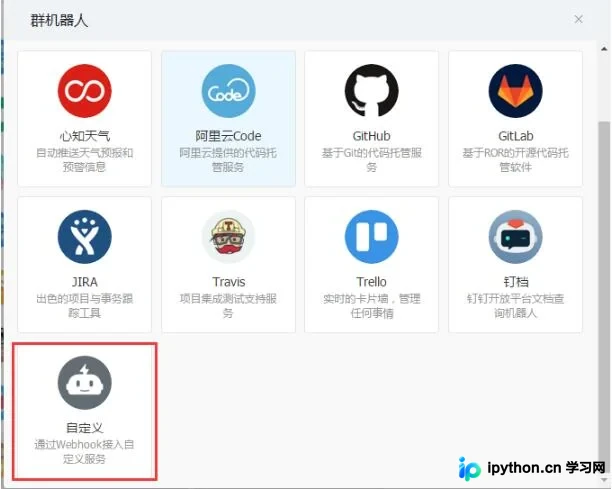
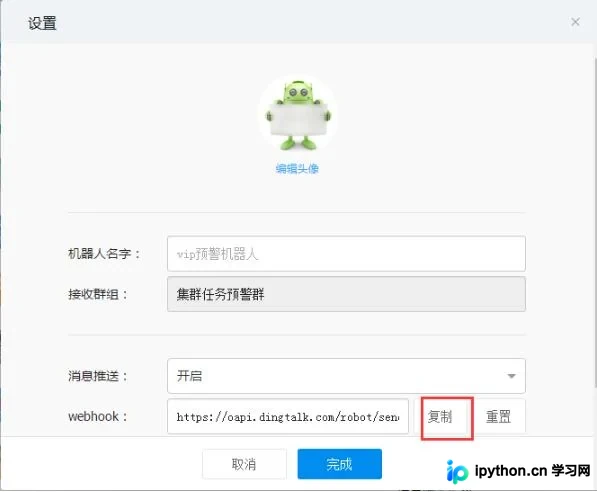
#!/usr/bin/python3
# -*- coding:UTF-8-*-
# Author: zhuhongqiang

from urllib import request
import json
from sys import argv

access_token = "xxx"


def send_msg(mobile, item_name):
  """
   钉钉机器人API接口地址:
   https://open-doc.dingtalk.com/docs/doc.htm?spm=a219a.7629140.0.0.karFPe&treeId=257&articleId=105735&docType=1
   :param mobile:
   :param itemName:
   :return:
  """
  url = "https://oapi.dingtalk.com/robot/send?access_token=" + access_token

  data = {
    "msgtype": "text",
    "text": {
      "content": item_name
    },
    "at": {
      "atMobiles": [
        mobile
      ],
      "isAtAll": "false"
    }
  }
  # 设置编码格式
  json_data= json.dumps(data).encode(encoding='utf-8')
  print(json_data)
  header_encoding = {'User-Agent': 'Mozilla/5.0 (Windows NT 6.1; Trident/7.0; rv:11.0) like Gecko', "Content-Type": "application/json"}
  req = request.Request(url=url, data=json_data, headers=header_encoding)
  res = request.urlopen(req)
  res = res.read()
  print(res.decode(encoding='utf-8'))


if __name__ == "__main__":
  mobile = argv[1]
  item_name = argv[2]
  send_msg(mobile, item_name)
上述Python钉钉机器人运维监控脚本示例已分享完毕,供读者参考使用,同时也欢迎继续支持本站获取更多技术内容。
本站声明
本文内容仅供参考,不代表本站观点。转载或引用请注明出处。如发现内容问题,请通过联系我们页面反馈。















