


Spring Boot 解决 Fastjson 默认过滤 null 值字段

在使用 Spring Boot 与 Fastjson 进行开发时,经常会遇到后端返回的 JSON 数据中缺失值为 null 的字段的问题。这是因为 Fastjson 默认的序列化行为会忽略这些空值。本文将详细讲解如何通过配置自定义的消息转换器来解决这一问题,确保前端能接收到完整的实体结构信息。
问题现象与环境
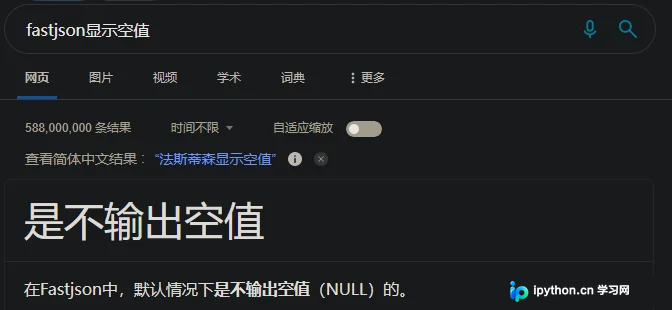
当使用 Spring Boot 集成 Fastjson 作为 JSON 处理工具时,如果实体类中的某些属性为 null,默认情况下这些字段在序列化后的 JSON 字符串中会被直接移除。这会导致前端解析数据时出现字段缺失,影响 UI 展示或业务逻辑判断。
本方案基于以下环境进行验证:
- JDK: 1.8
- Maven: 3.6.3
- Spring Boot: 2.2.13-RELEASE
- Fastjson: 1.2.80
引入 Fastjson 依赖
首先确保项目中已经正确引入了 Fastjson 的 Maven 依赖。建议使用稳定的 1.2.80 版本(注意:生产环境请务必检查并升级到最新的安全版本):
    com.alibaba
    fastjson
    1.2.80
解决方案:配置全局序列化特征
要保留 null 值字段,核心思路是修改 Spring MVC 的 HTTP 消息转换器,将 Fastjson 的序列化特性设置为包含 null 值。通过创建一个 @Configuration 配置类,自定义 HttpMessageConverters 实现这一目标。
第1步:创建配置类
新建一个 Java 配置类,例如 FastjsonConfig.java,用于接管 Spring MVC 的 JSON 序列化过程。
第2步:编写自定义 Converter 代码
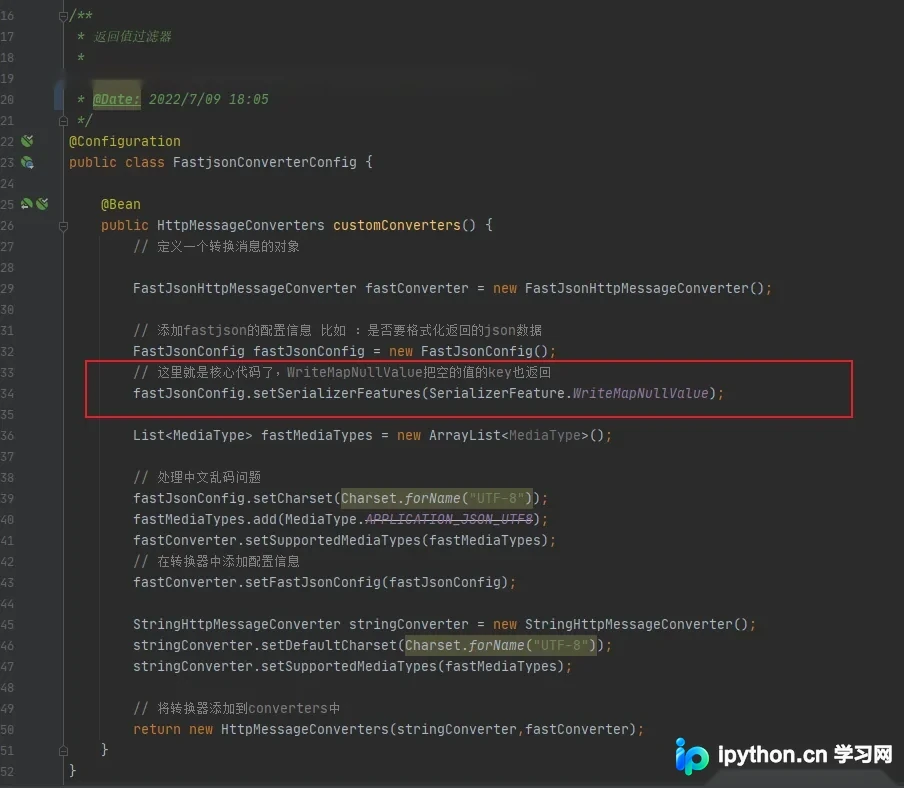
在配置类中定义一个 @Bean 方法,手动构建 FastJsonHttpMessageConverter 并注入必要的配置参数。关键代码如下:
import com.alibaba.fastjson.support.config.FastJsonConfig;
import com.alibaba.fastjson.support.spring.FastJsonHttpMessageConverter;
import org.springframework.context.annotation.Bean;
import org.springframework.context.annotation.Configuration;
import org.springframework.http.MediaType;
import org.springframework.http.converter.HttpMessageConverter;
import org.springframework.http.converter.StringHttpMessageConverter;

import java.nio.charset.Charset;
import java.util.ArrayList;
import java.util.List;

@Configuration
public class FastjsonConfig {

    @Bean
    public HttpMessageConverters customConverters() {
        // 1. 创建 Fastjson 消息转换器
        FastJsonHttpMessageConverter fastConverter = new FastJsonHttpMessageConverter();

        // 2. 配置 Fastjson 参数
        FastJsonConfig fastJsonConfig = new FastJsonConfig();
        // 核心设置:WriteMapNullValue 表示序列化时保留值为 null 的字段
        fastJsonConfig.setSerializerFeatures(
                SerializerFeature.WriteMapNullValue,
                SerializerFeature.PrettyFormat
        );
        // 设置字符集,防止中文乱码
        fastJsonConfig.setCharset(Charset.forName("UTF-8"));

        // 3. 配置支持的媒体类型
        List fastMediaTypes = new ArrayList<>();
        // Spring Boot 2.x 推荐使用 APPLICATION_JSON_UTF8
        fastMediaTypes.add(MediaType.APPLICATION_JSON_UTF8);

        fastConverter.setSupportedMediaTypes(fastMediaTypes);
        fastConverter.setFastJsonConfig(fastJsonConfig);

        // 4. (可选) 保留默认的 StringHttpMessageConverter 以支持文本响应
        StringHttpMessageConverter stringConverter = new StringHttpMessageConverter();
        stringConverter.setDefaultCharset(Charset.forName("UTF-8"));
        stringConverter.setSupportedMediaTypes(fastMediaTypes);

        // 5. 返回组合的转换器列表
        return new HttpMessageConverters(stringConverter, fastConverter);
    }
}
完成判断与验证
重启 Spring Boot 应用后,发起一个返回包含 null 字段的实体类的接口请求。如果在响应的 JSON 数据中看到了原本被忽略的 key: null 键值对,则说明配置生效。例如:
{
  "id": 1,
  "name": "Test",
  "description": null,
  "createTime": "2023-10-01"
}
此时,前端可以清晰区分“字段不存在”和“字段存在但为空”,从而做出更准确的业务判断。
注意事项
- 安全性提醒:Fastjson 历史版本存在较多安全漏洞,建议在生产环境中定期升级至最新版本,或考虑迁移至 Jackson、Gson 等更现代且安全的 JSON 库。
- 性能考量:输出大量 null 值会增加 JSON 数据包的大小,对于流量敏感的场景,可根据实际需求决定是否始终启用
WriteMapNullValue。
以上就是 Spring Boot 配置 Fastjson 不过滤 Null 值的详细内容,更多关于 Spring Boot Fastjson 高级配置的资料请关注本站其它相关文章!
本站声明
本文内容仅供参考,不代表本站观点。转载或引用请注明出处。如发现内容问题,请通过联系我们页面反馈。















