


Python文件操作实战:简易购物系统实现与解析

本文通过一个简易购物系统的Python实现,详细演示了文件读写、列表处理及用户交互逻辑。内容涵盖商品信息的存储与更新、余额记录功能,以及商家和买家两个入口的代码逻辑。适合初学者通过实战巩固文件操作和基础语法知识。
需求说明:
用户端功能入口
1、商品信息需持久化存储在文件中 2、系统需记录已购商品列表及用户剩余余额。
商家端功能入口
支持添加新商品及修改现有商品价格。
代码实现部分:
商家端代码逻辑:
# Author:P J J

import os

ps = '''
1 >>>>>> 修改商品
2 >>>>>> 添加商品
按q为退出程序
'''

# 打开两个文件,f文件为原来存取商品文件,f_new文件为修改后的商品文件
f = open('commodit', 'r', encoding='utf-8')
f_new = open('commodit_update', 'w+', encoding='utf-8')
file_list = f.readlines()

# 打印商品信息
while True:
 productslist = []
 # 从商品文件中读取出来的数据存放到productslist列表里
 for line in file_list:
  productname = line.strip().split()
  productname, oldprice = line.strip("\n").split()
  productslist.append([productname, int(oldprice)])
 choose = input("%s请选择:" %ps)
 if choose =='1':
  for index, item in enumerate(productslist):
   print(index, item)
  productindex = input("请输入要修改价格的商品序号:")
  if productindex.isdigit():
   productindex = int(productindex)
  while True:
   print('要修改商品信息:', productslist[productindex])
   price = input("请输入要修改的价格:")
   if price.isdigit():
    price = int(price)
    productslist[productindex][1]=price
    break
   else:
    print("请正确的输入价格!")
    continue

  #已经修改好的商品列表循环写入f_new文件夹

  for products in productslist:
   insert_data = "%s %s" %(products[0],products[1])
   f_new.write(insert_data+'\n')
  print("商品价格已经修改!")
  # 替换原来的文件
  f_new = open('commodit_update', 'r', encoding='utf-8')
  data = f_new.readlines()
  f = open('commodit', 'w+', encoding='utf-8')
  for line in data:
   f.write(line)
  f.close()
  f_new.close()
  #删除替换文件
  os.remove('commodit_update')
 elif choose =='2':
  # 添加商品
  f = open('commodit', 'a+', encoding='utf-8')
  pricename = input("请输入商品名:")
  while True:
   price = input("请输入商品价格:")
   if price.isdigit():
    f.writelines('%s %s\n' % (pricename, price))
    break
   else:
    print('输入错误请重新输入!')
    continue
  f.close()
  continue
 elif choose =='q':
  break
 else:
  print("输入错误请重新输入")
  continue
买家端代码逻辑:
# Author:P J J

productslist = []
f = open('commodit','r',encoding='utf-8')
for line in f:
 productname,price = line.strip('\n').split()
 productslist.append((productname,int(price)))

print(productslist)
shopping_list = []

salary = input("请输入你的现金:")
if salary.isdigit():
 salary = int(salary)
 while True:
  # for item in productslist:
  #  print(productslist.index(item),item)
  for index,item in enumerate(productslist):
   print(index,item)
  #判断用户要输入
  user_choice = input("请选择要买什啥>>>:")
  if user_choice.isdigit():
   user_choice = int(user_choice)
   if user_choice < len(productslist) and user_choice >= 0:
    p_item = productslist[user_choice]
    if p_item[1] <= salary: #买得起
     shopping_list.append(p_item)
     salary -=p_item[1]
     print("加入 %s 购物车你的余额是\033[31;1m%s\033[0mRMB" %(p_item,salary))
    else:
     print("\033[32;1m 你的余额只剩[%s]RMB啦,还买个毛线\033[0m " %salary)
   else:
    print("\033[41;1m您输入的商品不存在,请重新输入!\033[0m")
  elif user_choice == 'q':
   print("----shopping_list----")
   for p in shopping_list:
    print(p)
   print("你的余额:\033[31;1m%s\033[0mRMB" %salary)
   #简单的余额记录
   f = open('salary','w+',encoding='utf-8')
   f.writelines(str(salary))
   f.close
   exit()
  else:
   print("错误选项")
系统操作流程:
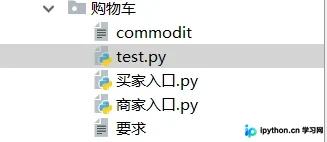
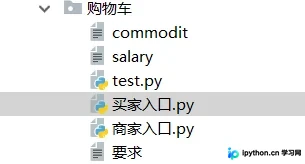
项目目录结构:
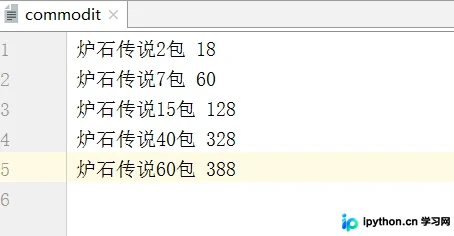
1、新建一个名为 commodit 的文件,用于存储商品数据,格式如下(用户可自行调整商品名称或价格字段)
2、运行商家端测试功能
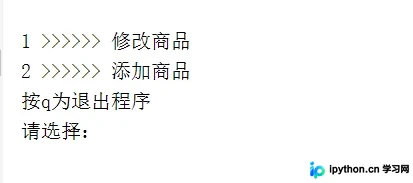
输入数字 1,首先测试修改商品价格的功能:
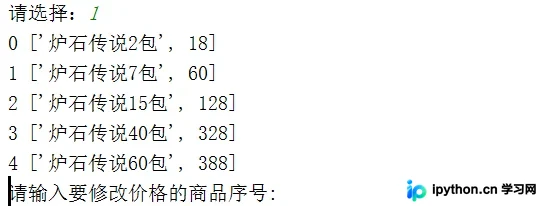
输入 0,将第一个商品的价格修改为 400:
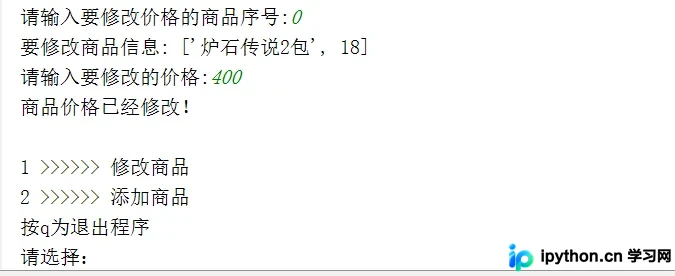
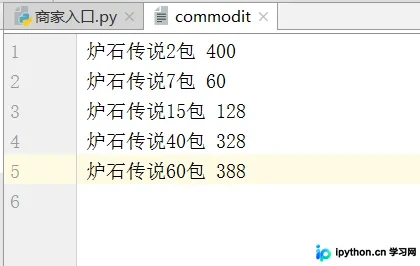
退出程序后,检查 commodit 文件,确认商品价格已成功修改。
--------------------------------------------------
测试添加新商品功能:
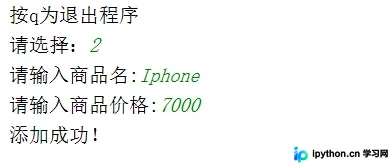
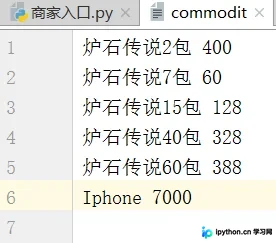
查看 commodit 文件内容
测试买家端功能:
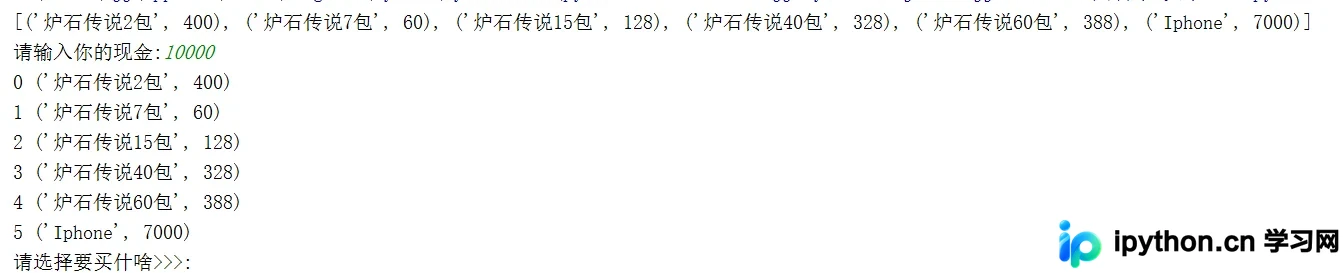
资金充足时,先购买一台 iPhone:
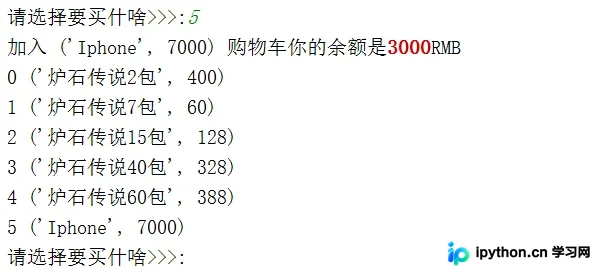
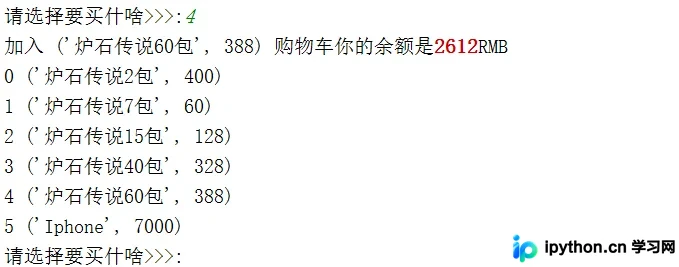
接着购买 60 包炉石传说卡包:
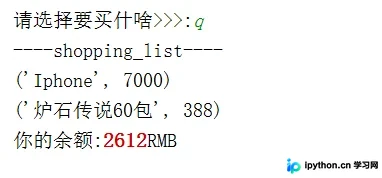
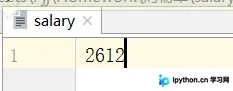
输入 q 退出结账流程!同时生成一个 salary 文件用于记录当前余额。
此时项目目录下会新增一个 salary 文件
打开该文件即可查看已记录的余额信息。
开发心得:
完成这个购物车项目耗时约 2 天,期间兼顾了上课和学习。本次实践主要目的是熟悉文件操作并回顾基础知识,能成功运行功能令人欣慰。开发过程中遇到诸多问题,通过查阅资料和请教他人逐一解决。虽然自感代码质量不高,但非常适合刚学完文件操作的初学者练手。测试中发现一个小 bug:多次修改价格时,列表未刷新导致数据读取异常(可能涉及列表清空或刷新机制),目前暂留此问题。功能已实现,但代码结构有待优化,待掌握更多技巧后计划重构。包括之前的登录模块和三级菜单也需改进。欢迎初学者一起交流,推荐 Alex 老师的 Python 课程,也恳请资深开发者指点。
总之,Life is short, use Python!
以上关于 Python 实现购物系统的示例讲解到此结束,希望能为读者提供参考,欢迎支持本站。
本站声明
本文内容仅供参考,不代表本站观点。转载或引用请注明出处。如发现内容问题,请通过联系我们页面反馈。















