


Python实现Windows壁纸自动轮换:pywin32与PIL库配置指南

本文介绍使用Python脚本实现Windows系统壁纸定期自动更换的方法。详细记录了pywin32扩展库及PIL图像处理库在Python 2.7环境下的安装步骤,包括通过命令行工具进行注册表配置。核心代码利用win32api和win32gui模块修改注册表并调用SystemParametersInfo接口刷新桌面,结合time模块实现每小时循环切换指定目录下的图片文件。
本文介绍一个用于定期更换Windows桌面壁纸的Python程序。该方案实现逻辑较为简单,主要供个人兴趣研究使用,并非生产环境下的完美壁纸切换解决方案。
首先需要安装pywin32扩展库。
在已安装Python 2.7的环境中,请以管理员身份打开命令提示符(cmd),并导航至Python的Scripts目录。以我的环境为例,路径如下:
C:\Python27\Scripts cd /d C:\Python27\Scripts
接着执行以下命令:python pywin32_postinstall.py -install。请注意,执行前需确保系统环境变量PATH中已正确配置python.exe所在目录。
C:\Python27\Scripts>python pywin32_postinstall.py -install
Copied pythoncom27.dll to C:\Windows\SysWOW64\pythoncom27.dll
Copied pythoncomloader27.dll to C:\Windows\SysWOW64\pythoncomloader27.dll
Copied pywintypes27.dll to C:\Windows\SysWOW64\pywintypes27.dll
Registered: Python.Interpreter
Registered: Python.Dictionary
Registered: Python
-> Software\Python\PythonCore\2.7\Help[None]=None
-> Software\Python\PythonCore\2.7\Help\Pythonwin Reference[None]='C:\\Python27\\
Lib\\site-packages\\PyWin32.chm'
Pythonwin has been registered in context menu
Shortcut for Pythonwin created
Shortcut to documentation created
The pywin32 extensions were successfully installed.
执行上述命令后,pywin32扩展库即完成安装配置。
接下来需要安装PIL(Python Imaging Library)库。
PIL是Python标准的图像处理库。可从官网 http://www.pythonware.com/products/pil/ 下载对应版本,例如我下载的是PIL-1.1.7.win32-py2.7.exe,双击运行即可安装。注:若使用pip进行安装,命令行中需指定使用pip2.7,命令格式如下:
C:\Python27\Scripts>pip2.7 install You must give at least one requirement to install (see "pip help install")
程序运行依赖的关键函数说明如下。
相关函数的详细帮助文档可在PyWin32.chm文件中查阅,主要涉及win32gui.SystemParametersInfo接口。
SystemParametersInfo(Action, Param, WinIni)
Queries or sets system-wide parameters. This function can also update the user profile while setting a parameter.
Parametersundefined
Action : int
 System parameter to query or set, one of the SPI_GET* or SPI_SET* constants
Param=None : object
 depends on action to be taken
WinIni=0 : int
 Flags specifying whether change should be permanent, and if all windows should be notified of change. Combination of SPIF_UPDATEINIFILE, SPIF_SENDCHANGE, SPIF_SENDWININICHANGE
以及win32api.RegOpenKeyEx注册表操作接口。
PyHKEY = RegOpenKeyEx(key, subKey, reserved , sam )
Opens the specified key.
Parametersundefined
key : PyHKEY/int
 An already open key, or any one of the following win32con constants:
HKEY_CLASSES_ROOT
HKEY_CURRENT_USER
HKEY_LOCAL_MACHINE
HKEY_USERS
subKey : string
 The name of a key that this method opens. This key must be a subkey of the key identified by the key parameter. If key is one of the predefined keys, subKey may be None. In that case, the handle returned is the same key handle passed in to the function.
reserved=0 : int
 Reserved. Must be zero.
sam=KEY_READ : int
 Specifies an access mask that describes the desired security access for the new key. This parameter can be a combination of the following win32con constants:
KEY_ALL_ACCESS
KEY_CREATE_LINK
KEY_CREATE_SUB_KEY
KEY_ENUMERATE_SUB_KEYS
KEY_EXECUTE
KEY_NOTIFY
KEY_QUERY_VALUE
KEY_READ
KEY_SET_VALUE
KEY_WRITE
以下是具体的程序实现代码。
接下来进行编码实现,核心逻辑保存在set.py文件中:
import Image
import win32api, win32gui, win32con

def setWallPaper(pic):
 # open register
 regKey = win32api.RegOpenKeyEx(win32con.HKEY_CURRENT_USER,"Control Panel\\Desktop",0,win32con.KEY_SET_VALUE)
 win32api.RegSetValueEx(regKey,"WallpaperStyle", 0, win32con.REG_SZ, "2")
 win32api.RegSetValueEx(regKey, "TileWallpaper", 0, win32con.REG_SZ, "0")
 # refresh screen
 win32gui.SystemParametersInfo(win32con.SPI_SETDESKWALLPAPER,pic, win32con.SPIF_SENDWININICHANGE)

setWallPaper('E:\\backPics\\character5.jpg')
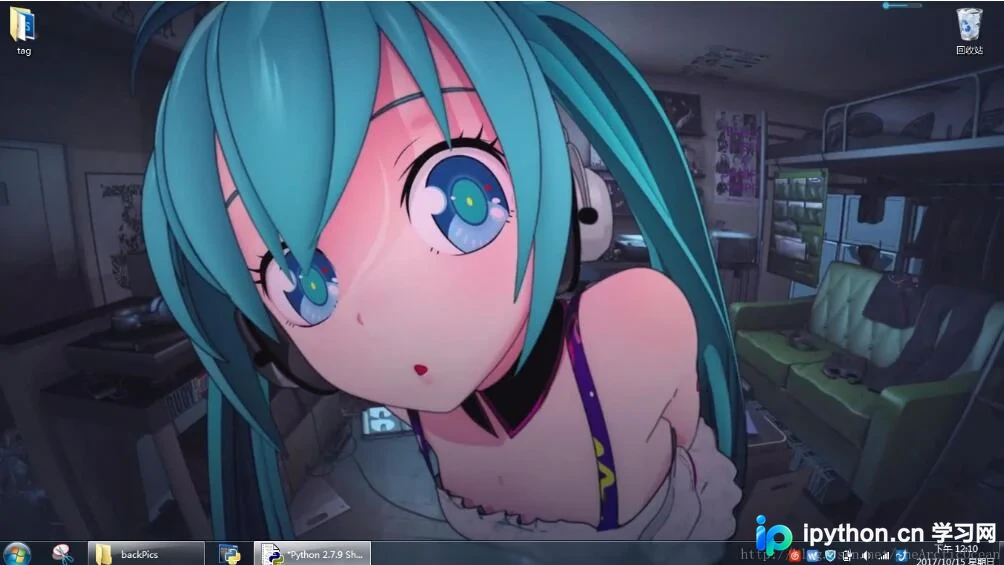
程序运行效果如图所示:

随后,我们设定程序每隔一小时自动更换一次壁纸:
由于我的图片库中仅包含5张图片,因此图片索引将在[1-5]范围内循环显示。

import Image
import win32api, win32gui, win32con
import time

def setWallPaper(pic):
 # open register
 regKey = win32api.RegOpenKeyEx(win32con.HKEY_CURRENT_USER,"Control Panel\\Desktop",0,win32con.KEY_SET_VALUE)
 win32api.RegSetValueEx(regKey,"WallpaperStyle", 0, win32con.REG_SZ, "2")
 win32api.RegSetValueEx(regKey, "TileWallpaper", 0, win32con.REG_SZ, "0")
 # refresh screen
 win32gui.SystemParametersInfo(win32con.SPI_SETDESKWALLPAPER,pic, win32con.SPIF_SENDWININICHANGE)

g_times = 0
while True:
 g_times = g_times+1
 g_times = g_times%5
 picDir = 'E:\\backPics\\character'
 picDir = picDir+str(g_times+1)+'.jpg'
 setWallPaper(picDir)
 time.sleep(60*60)
以上就是本文的全部内容,希望对大家的学习有所帮助,也希望大家多多支持本站。
本站声明
本文内容仅供参考,不代表本站观点。转载或引用请注明出处。如发现内容问题,请通过联系我们页面反馈。















