


Python图像处理:数学形态学基础操作实例解析

发布时间:2026-10-13 |
3人浏览过
本文通过Python代码实例,详细演示了数学形态学中的核心操作。内容涵盖原始随机图像的生成,以及利用scipy.ndimage库执行开运算、膨胀运算和闭运算的具体步骤与结果展示,帮助开发者理解图像形态学处理的基本原理。
Python数学形态学基础操作概述
本文通过具体的Python代码示例,深入解析数学形态学在图像处理中的应用。以下内容旨在为读者提供清晰的实践参考。
原始随机图像的生成与展示
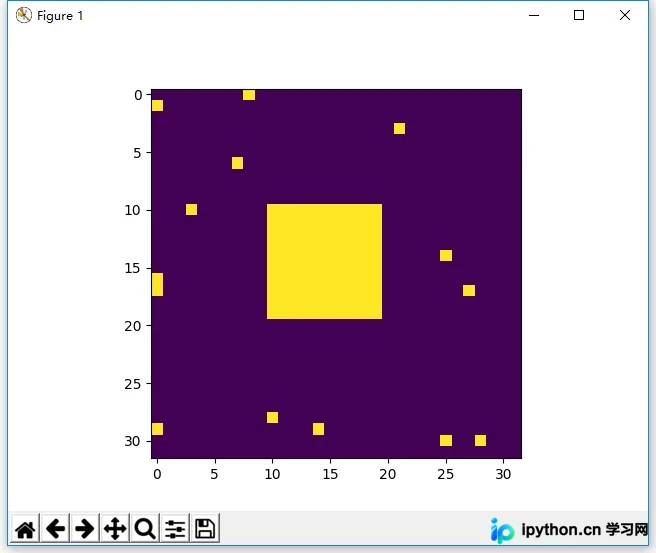
一、生成原始随机图像
1. 实现代码
import numpy as np
import matplotlib.pyplot as plt
square = np.zeros((32,32))#全0数组
square[10:20,10:20]=1#把其中一部分设置为1
x, y =(32*np.random.random((2,15))).astype(np.int)#随机位置
square[x,y]=1#把随机位置设置为1
plt.imshow(square)#原始随机图像
plt.show()
2. 执行效果
图像开运算的实现与结果
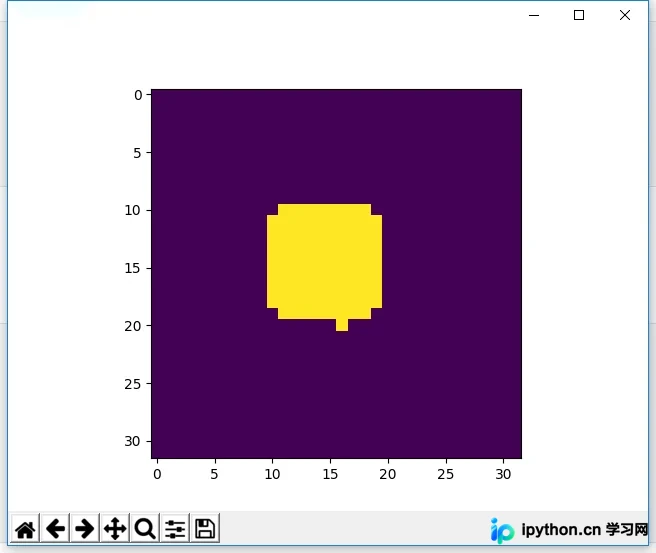
二、执行开运算
1. 实现代码
import numpy as np
import matplotlib.pyplot as plt
from scipy import ndimage
square = np.zeros((32,32))#全0数组
square[10:20,10:20]=1#把其中一部分设置为1
x, y =(32*np.random.random((2,15))).astype(np.int)#随机位置
square[x,y]=1#把随机位置设置为1
open_square = ndimage.binary_opening(square)#开运算
plt.imshow(open_square)
plt.show()
2. 执行效果
图像膨胀运算的实现与结果
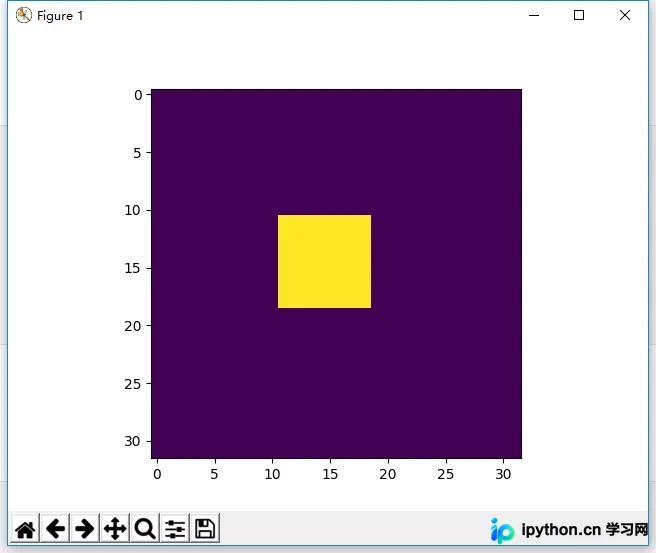
三、执行膨胀运算
1. 实现代码
import numpy as np
import matplotlib.pyplot as plt
from scipy import ndimage
square = np.zeros((32,32))#全0数组
square[10:20,10:20]=1#把其中一部分设置为1
x, y =(32*np.random.random((2,15))).astype(np.int)#随机位置
square[x,y]=1#把随机位置设置为1
eroded_square = ndimage.binary_erosion(square)#膨胀运算
plt.imshow(eroded_square)
plt.show()
2. 执行效果
图像闭运算的实现与结果
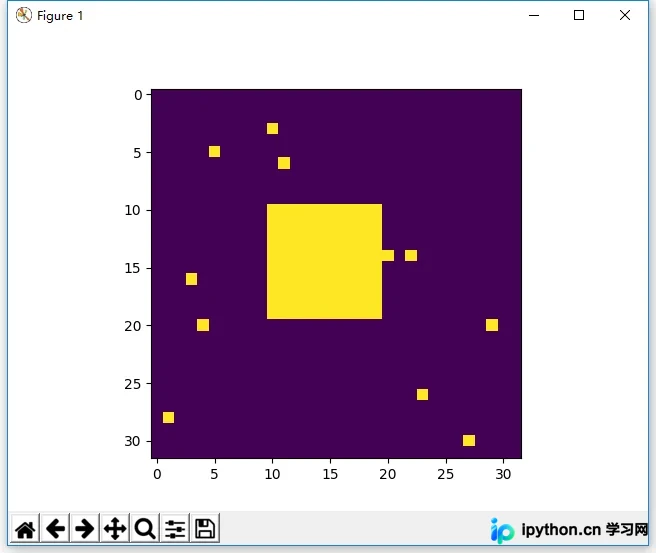
四、执行闭运算
1. 实现代码
import numpy as np
import matplotlib.pyplot as plt
from scipy import ndimage
square = np.zeros((32,32))#全0数组
square[10:20,10:20]=1#把其中一部分设置为1
x, y =(32*np.random.random((2,15))).astype(np.int)#随机位置
square[x,y]=1#把随机位置设置为1
closed_square = ndimage.binary_closing(square)#闭运算
plt.imshow(closed_square)
plt.show()
2. 执行效果
如需进一步了解Python相关技巧,建议查阅本站的《Python数学运算技巧总结》、《Python数据结构与算法教程》、《Python函数使用技巧总结》、《Python字符串操作技巧汇总》以及《Python入门与进阶经典教程》等专题文章。
希望上述关于Python程序设计的解析能为您提供实际帮助。
本站声明
本文内容仅供参考,不代表本站观点。转载或引用请注明出处。如发现内容问题,请通过联系我们页面反馈。















