


Python抓取网页源码的两种实现方式

发布时间:2026-10-14 |
2人浏览过
本文介绍使用Python获取网页源码的两种方法。首先演示利用requests库直接获取指定页面的HTML文本,并处理编码问题;其次展示结合urllib2与BeautifulSoup进行全站链接扫描的复杂示例,包括遍历页面、解析锚点、检查链接状态码及计算耗时。
使用requests获取网页源码
在Python中获取整个页面的代码,可以通过网络请求库实现。
import requests
res = requests.get('https://blog.csdn.net/yirexiao/article/details/79092355')
res.encoding = 'utf-8'
print(res.text)
执行上述代码后的运行结果。
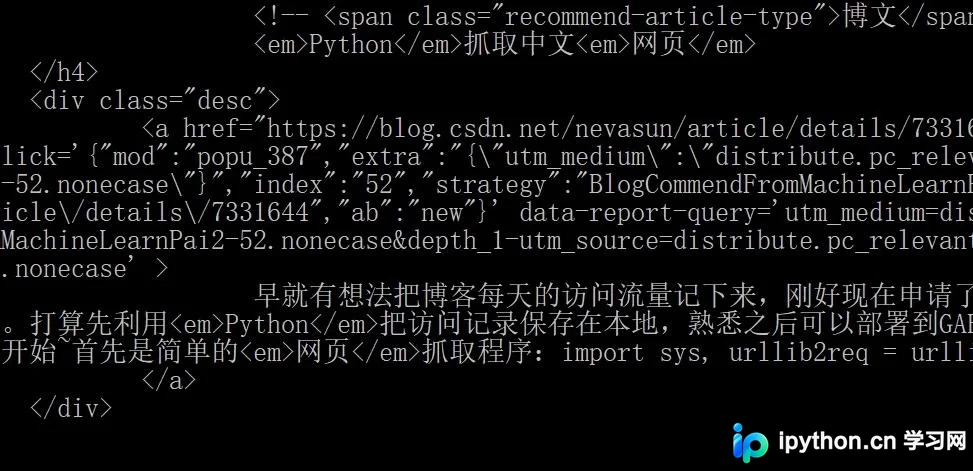
相关实例扩展内容。
全站链接扫描示例
from bs4 import BeautifulSoup
import time,re,urllib2
t=time.time()
websiteurls={}
def scanpage(url):
 websiteurl=url
 t=time.time()
 n=0
 html=urllib2.urlopen(websiteurl).read()
 soup=BeautifulSoup(html)
 pageurls=[]
 Upageurls={}
 pageurls=soup.find_all("a",href=True)
 for links in pageurls:
  if websiteurl in links.get("href") and links.get("href") not in Upageurls and links.get("href") not in websiteurls:
   Upageurls[links.get("href")]=0
 for links in Upageurls.keys():
  try:
   urllib2.urlopen(links).getcode()
  except:
   print "connect failed"
  else:
   t2=time.time()
   Upageurls[links]=urllib2.urlopen(links).getcode()
   print n,
   print links,
   print Upageurls[links]
   t1=time.time()
   print t1-t2
  n+=1
 print ("total is "+repr(n)+" links")
 print time.time()-t
scanpage(http://news.163.com/)
至此,关于Python获取整个网页源码的方法介绍完毕。如需了解更多Python获取页面内容的技巧,建议查阅本站历史文章或继续浏览后续相关内容,感谢大家的支持。
本站声明
本文内容仅供参考,不代表本站观点。转载或引用请注明出处。如发现内容问题,请通过联系我们页面反馈。















