


Python调用百度OCR API批量提取图片文字详解

发布时间:2026-10-14 |
3人浏览过
本文介绍如何使用Python调用百度AI开放平台的OCR接口,实现图片文字的自动识别与提取。内容涵盖从注册获取AppID、API Key及Secret Key,到安装baidu-aip库的全过程。通过提供的代码示例,演示了如何对指定文件夹内的图片进行批量处理,包括大图压缩优化及文字结果保存,帮助开发者快速集成文字识别功能。
百度OCR API接入准备
借助百度AI开发平台提供的OCR文字识别API,可以高效地识别并提取图片中的文本信息。在开始编码之前,必须先在平台注册账号并获取用于调用API所需的AppID、API Key和Secret Key,具体申请步骤如下。
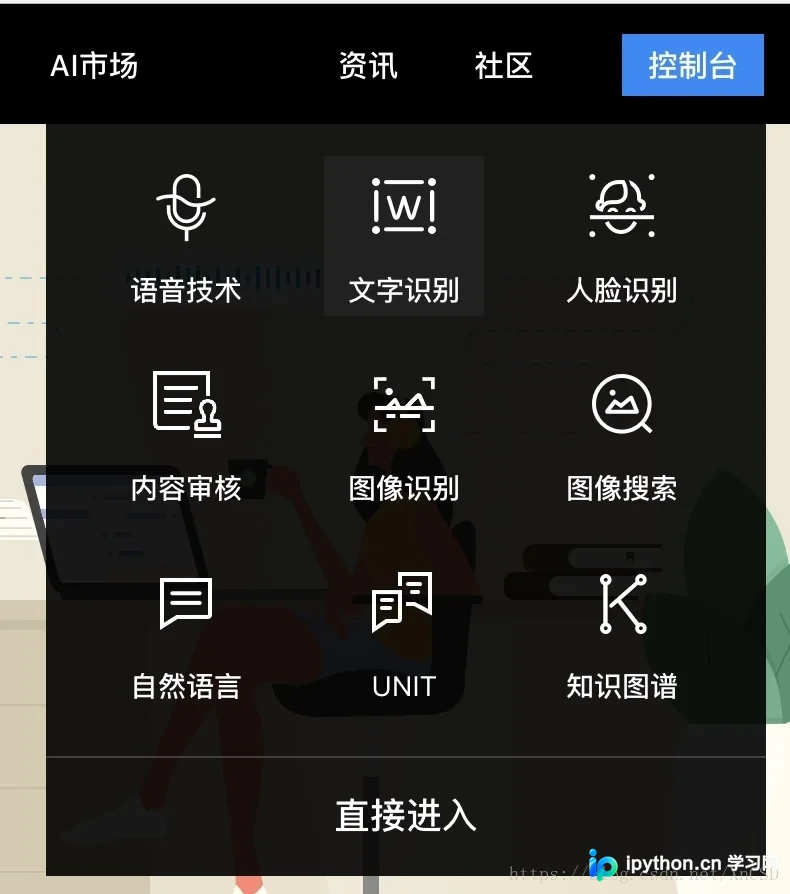
访问百度AI开放平台官网,登录个人账号后进入控制台,找到“文字识别”相关的应用入口。
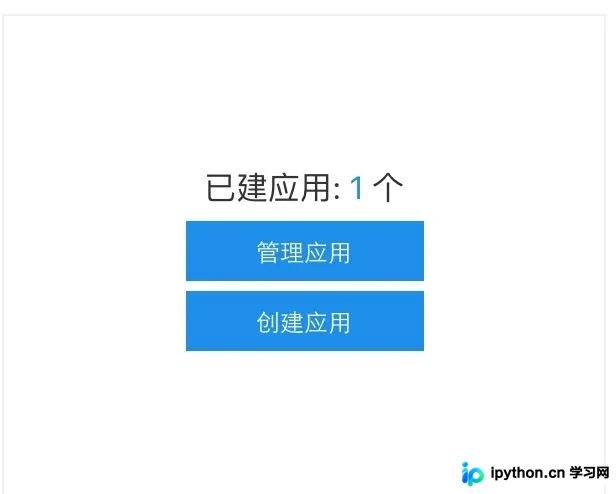
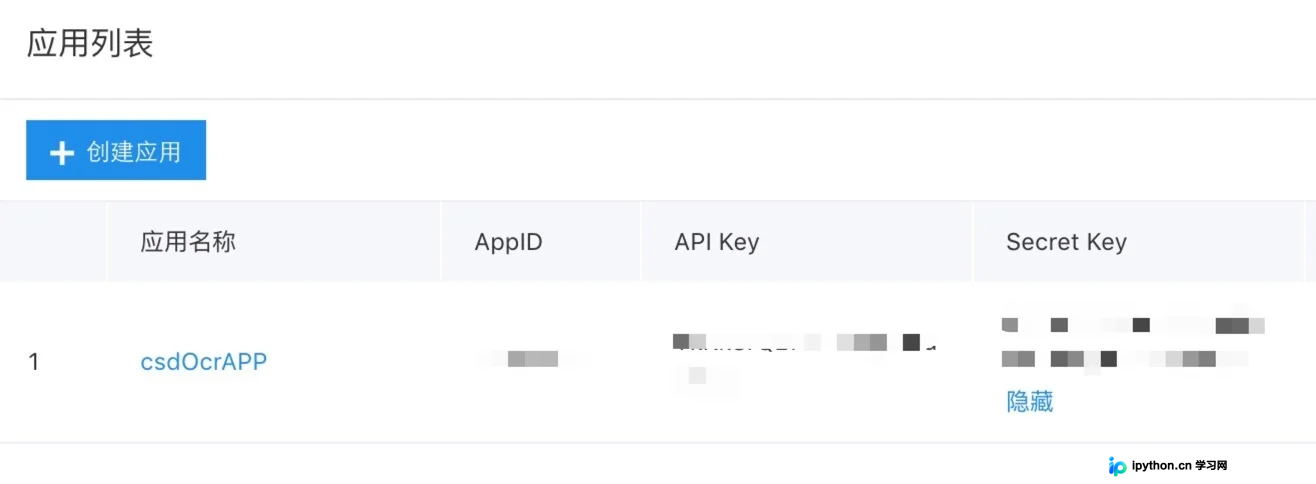
在控制台内创建一个新应用,进入该应用的管理页面,记录并保存生成的AppID、API Key以及Secret Key,这些凭证是后续调用API接口的必要参数。
完成密钥获取后,需要在Python环境中安装百度AI接口的官方SDK库。
环境配置与代码实现
pip install baidu-aip
以下是具体的代码实现方案。为了便于演示,请确保所有需要识别的图片文件都存放在名为“picture”的文件夹中。
#!/usr/bin/env python3
# -*- coding: utf-8 -*-
"""
Created on Tue Jun 12 09:37:38 2018
利用百度api实现图片文本识别
@author: XnCSD
"""

import glob
from os import path
import os
from aip import AipOcr
from PIL import Image

def convertimg(picfile, outdir):
    '''调整图片大小,对于过大的图片进行压缩
    picfile:    图片路径
    outdir:    图片输出路径
    '''
    img = Image.open(picfile)
    width, height = img.size
    while(width*height > 4000000):  # 该数值压缩后的图片大约 两百多k
        width = width // 2
        height = height // 2
    new_img=img.resize((width, height),Image.BILINEAR)
    new_img.save(path.join(outdir,os.path.basename(picfile)))

def baiduOCR(picfile, outfile):
    """利用百度api识别文本,并保存提取的文字
    picfile:    图片文件名
    outfile:    输出文件
    """
    filename = path.basename(picfile)

    APP_ID = '******' # 刚才获取的 ID,下同
    API_KEY = '******'
    SECRECT_KEY = '******'
    client = AipOcr(APP_ID, API_KEY, SECRECT_KEY)

    i = open(picfile, 'rb')
    img = i.read()
    print("正在识别图片:\t" + filename)
    message = client.basicGeneral(img)   # 通用文字识别,每天 50 000 次免费
    #message = client.basicAccurate(img)   # 通用文字高精度识别,每天 800 次免费
    print("识别成功!")
    i.close();

    with open(outfile, 'a+') as fo:
        fo.writelines("+" * 60 + '\n')
        fo.writelines("识别图片:\t" + filename + "\n" * 2)
        fo.writelines("文本内容:\n")
        # 输出文本内容
        for text in message.get('words_result'):
            fo.writelines(text.get('words') + '\n')
        fo.writelines('\n'*2)
    print("文本导出成功!")
    print()

if __name__ == "__main__":

    outfile = 'export.txt'
    outdir = 'tmp'
    if path.exists(outfile):
        os.remove(outfile)
    if not path.exists(outdir):
        os.mkdir(outdir)
    print("压缩过大的图片...")
    // 首先对过大的图片进行压缩,以提高识别速度,将压缩的图片保存与临时文件夹中
    for picfile in glob.glob("picture/*"):
        convertimg(picfile, outdir)
    print("图片识别...")
    for picfile in glob.glob("tmp/*"):
        baiduOCR(picfile, outfile)
        os.remove(picfile)
    print('图片文本提取结束!文本输出结果位于 %s 文件中。' % outfile)
    os.removedirs(outdir)
至此,关于利用Python结合百度API进行图片文字识别与提取的教程已介绍完毕。如需了解更多关于Python调用百度API识别图片文字的相关内容,建议查阅本站过往文章或继续浏览后续系列教程,感谢大家的支持!
本站声明
本文内容仅供参考,不代表本站观点。转载或引用请注明出处。如发现内容问题,请通过联系我们页面反馈。















