


Python与C#集成实现文件下载界面操作

本文介绍如何利用Python调用C#编写的WinForm动态链接库,实现带有图形界面的文件下载功能。文章详细讲解了WinForm端界面设计与STA线程处理,以及Python端通过socket监听下载事件并执行下载逻辑的实现过程,最后探讨了运行中可能出现的界面卡顿问题。
〇、写在前面
正如你所见,Python和C#各自都能独立完成文件下载功能,本文旨在通过实验和学习的方式探索两者的结合应用。
作为一名C#开发者,我目前正在学习Python,为了体验Python作为胶水语言的独特优势,便产生了这篇实践文章。
掌握Python调用C#的技术后,可以拓展出许多创意应用,这确实非常有趣。
一、这个功能是怎么样的
我熟悉使用C#和WinForm开发界面,同时刚掌握了Python中socket网络编程的基础,因此构思了一个结合两者的程序方案,具体思路如下:
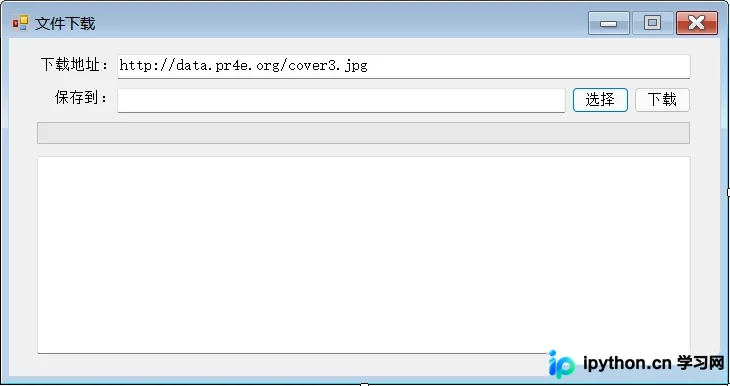
- 程序运行时会打开一个 WinForm 窗体,窗体上有:
- 界面包含输入文件下载地址的文本框。
- 界面包含选择文件保存位置的按钮。
- 界面包含显示当前下载状态的区域。
- 界面包含触发下载的按钮。
- 操作流程为:输入下载地址,并选择文件保存路径。
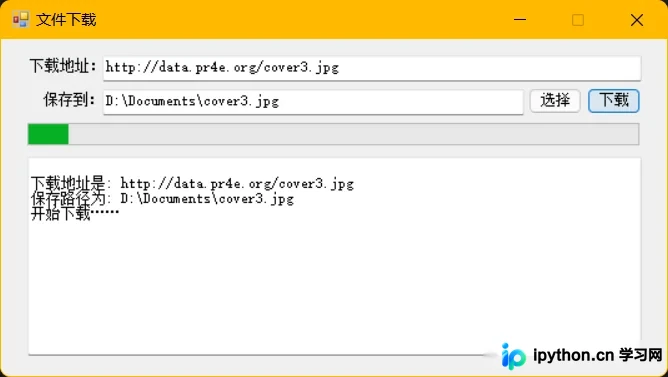
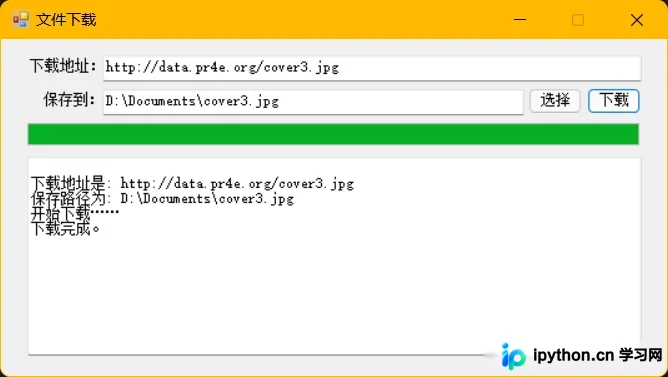
- 点击“下载”按钮后开始下载文件,状态区域实时显示下载进度及状态。
- 整体架构上,界面部分由WinForm负责,而核心的下载逻辑由Python实现。
二、WinForm 端功能实现
WinForm部分主要包含以下功能模块:
- 界面布局设计。
- 暴露用于获取下载地址的公共属性。
- 暴露用于获取文件存储路径的公共属性。
- 定义用于触发下载事件的委托。
- 提供记录状态信息的公共方法。
- 提供更新下载进度信息的公共方法。
1. 界面设计
首先,在Visual Studio中创建一个类库项目。
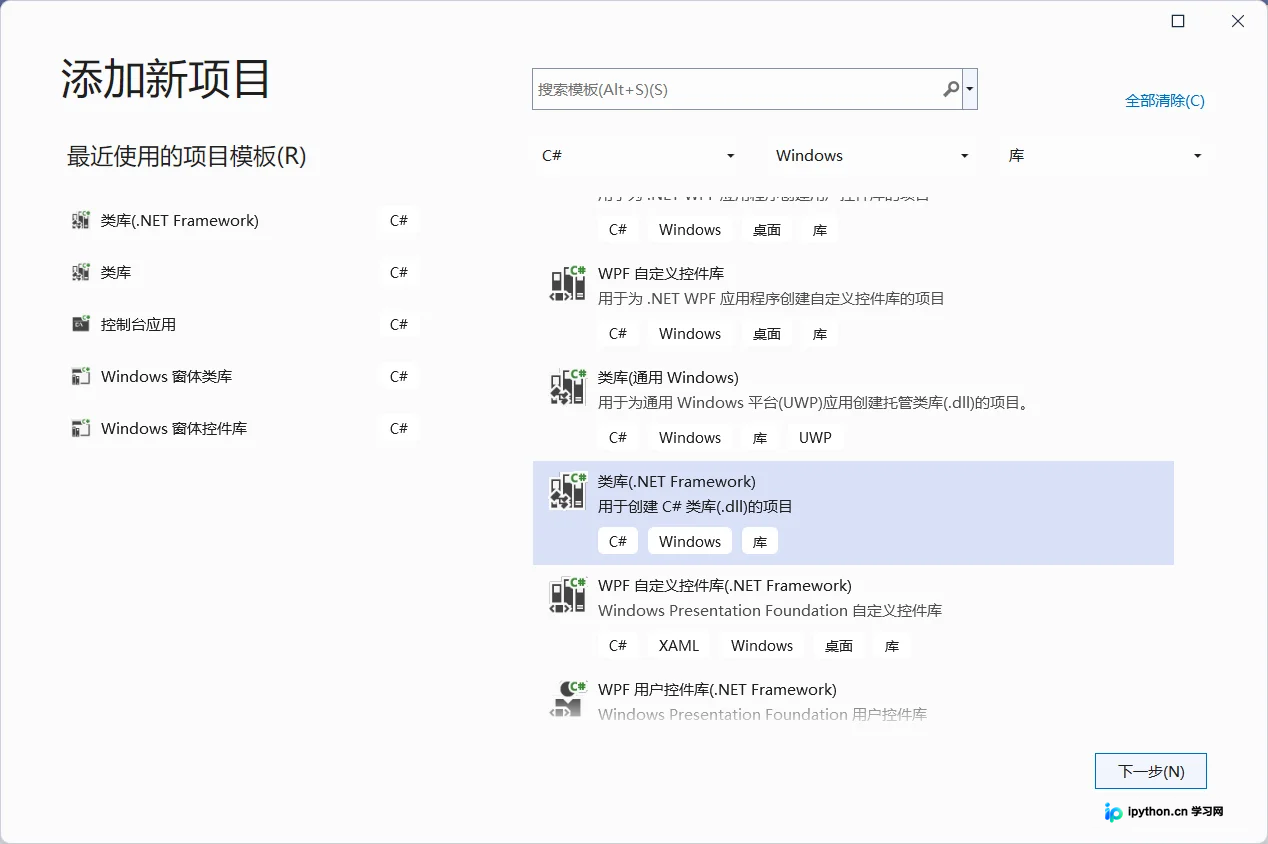
这里未选择.NET 5或.NET Core,原因是Python调用C#动态链接库时,通常对框架版本有特定兼容性要求。
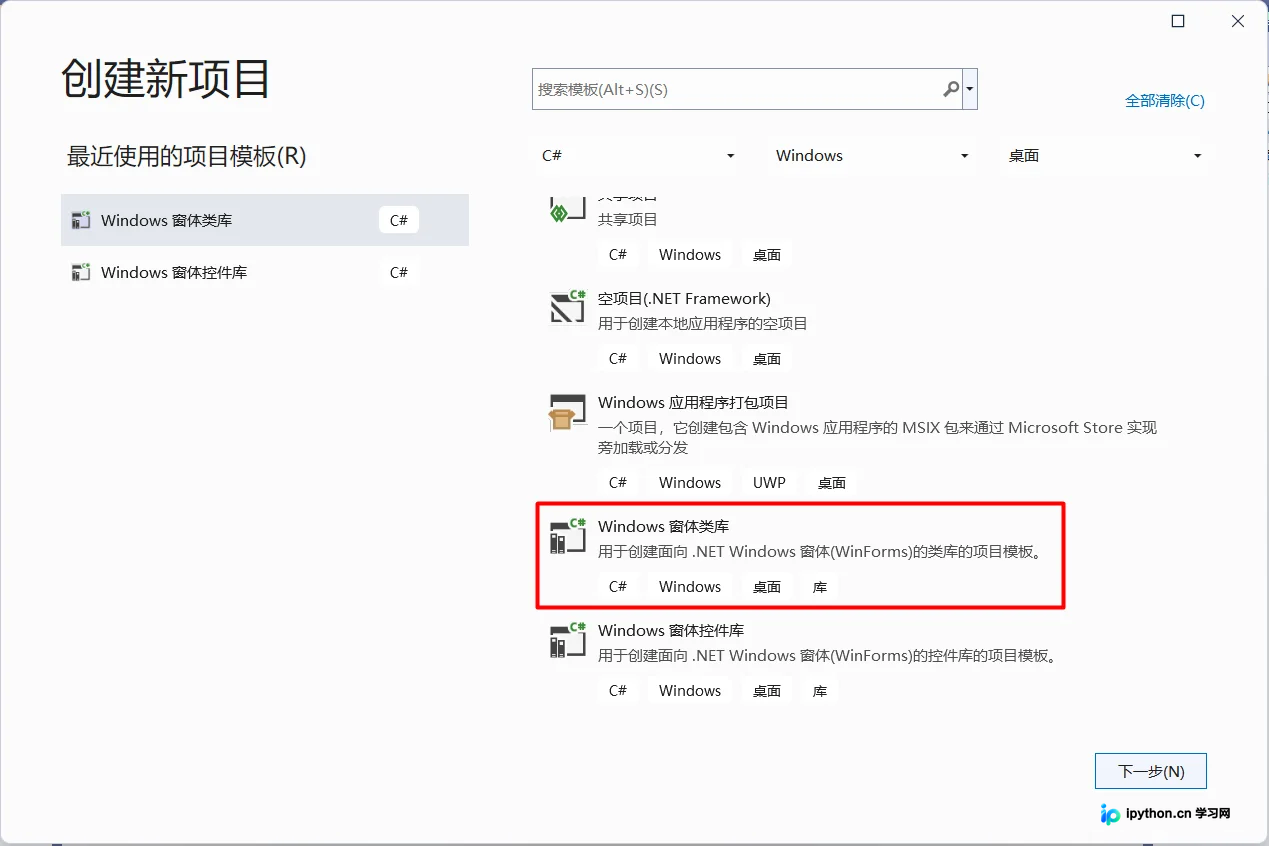
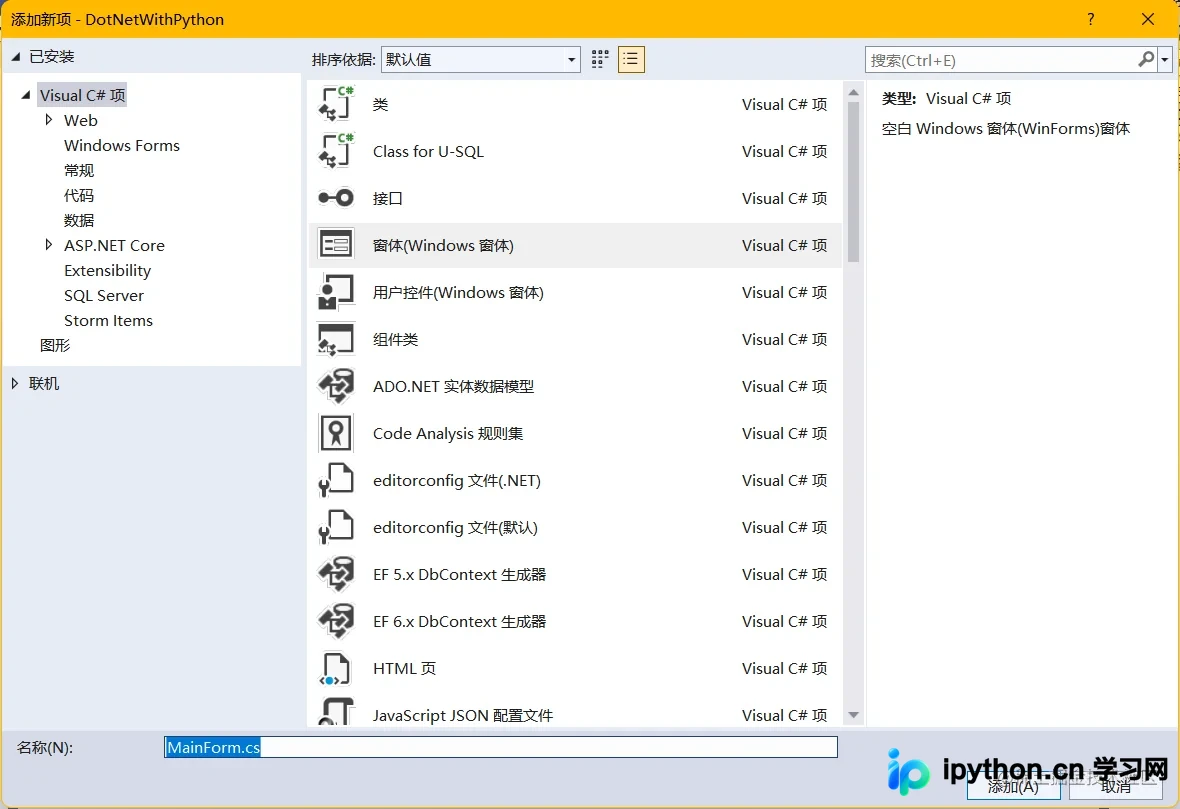
项目创建完成后,新建一个窗体文件。
本例中的界面设计布局如下:
2. 方法定义
/// <summary>
/// 当前地址
/// </summary>
public string ThisUrl
{
    get
    {
        return textUrl.Text;
    }
}

/// <summary>
/// 当前保存路径
/// </summary>
public string ThisSavePath
{
    get
    {
        return textSavePath.Text;
    }
}
/// <summary>
/// 下载事件委托
/// </summary>
public event EventHandler DownloadEvent;
/// <summary>
/// 下载按钮事件
/// </summary>
/// <param name="sender"></param>
/// <param name="e"></param>
private void buttonDownload_Click(object sender, EventArgs e)
{
if (string.IsNullOrEmpty(this.textUrl.Text))
{
MessageBox.Show("请先输入要下载的文件地址!");
this.textUrl.Focus();
return;
}
if (string.IsNullOrEmpty(this.textSavePath.Text))
{
MessageBox.Show("请先选择文件要保存的地址!");
this.textSavePath.Focus();
return;
}
// 调用委托事件
if(this.DownloadEvent != null)
{
this.DownloadEvent.Invoke(this, e);
}
}在实现“选择保存文件路径”功能时,直接调用可能会遇到报错。
错误提示指出:在调用OLE之前,必须将当前线程设置为单线程单元(STA)模式,这通常要求Main函数带有STAThreadAttribute标记。
由于调用方是Python而非C#的Main函数,且目前不清楚Python调用C#的具体内部实现,因此采用变通方案:将“选择保存文件路径”的功能单独放入一个子线程中执行,并在该子线程上显式标记为STA模式。
/// 选择按钮事件
/// </summary>
/// <param name="sender"></param>
/// <param name="e"></param>
private void buttonSelect_Click(object sender, EventArgs e)
{
    if (string.IsNullOrEmpty(this.textUrl.Text))
    {
        MessageBox.Show("请先输入要下载的文件地址!");
        this.textUrl.Focus();
        return;
    }

    var index = this.textUrl.Text.LastIndexOf("/");
    var fileName = this.textUrl.Text.Substring(index + 1);

    Thread importThread = new Thread(() => {
        var text = OpenDialog(fileName);
        MessageEvent(text);
    });
    importThread.SetApartmentState(ApartmentState.STA); //重点
    importThread.Start();
}

/// <summary>
/// 打开对话框
/// </summary>
private string OpenDialog(string fileName)
{
    var saveFileDialog = new SaveFileDialog();
    saveFileDialog.Filter = "所有文件 (*.*)|*.*";
    saveFileDialog.FilterIndex = 0;

    if (!string.IsNullOrEmpty(fileName))
    {
        saveFileDialog.FileName = Path.Combine(saveFileDialog.FileName, fileName);
    }

    DialogResult dialogResult = saveFileDialog.ShowDialog();
    if (dialogResult == DialogResult.OK)
    {
        return saveFileDialog.FileName;
    }
    return String.Empty;
}
三、Python 端功能实现
Python部分主要包含以下功能模块:
- 程序通过调用.NET类库来打开WinForm窗体。
- 程序中定义了下载指定URL文件并存储到指定路径的函数。
- 定义了程序结束时的清理函数。
- 将当前Python程序封装为可执行文件(例如Windows下的exe)。
import socket
import time
import re

mainapp = None

# 调用动态链接库的更新状态信息
def LogInfo(text):
    # print(text)
    mainapp.LogInfo(text)

# 调用动态链接库的更新下载进度
def downloadInfo(c, all):
    mainapp.SetProcess(c, all)
    if c == all:
        # LogInfo("下载进度 {:.2f}".format(c / all * 100))
        LogInfo("下载完成。")
    # else:
        # LogInfo("下载进度 {:.2f}%".format(c / all * 100))

# 监听下载委托事件
def Download(source, args):
    thisurl = source.ThisUrl.lower()
    thispath = source.ThisSavePath
    LogInfo("下载地址是: {}".format(thisurl))
    LogInfo("保存路径为: {}".format(thispath))

    reobj = re.compile(r"""(?xi)\A
    [a-z][a-z0-9+\-.]*://                                # Scheme
    ([a-z0-9\-._~%!$&'()*+,;=]+@)?                       # User
    ([a-z0-9\-._~%]+                                     # Named or IPv4 host
    |\[[a-z0-9\-._~%!$&'()*+,;=:]+\])                    # IPv6+ host
    """)
    match = reobj.search(thisurl)
    if match:
        HOST = match.group(2)
        PORT = 443 if thisurl.startswith('https') else 80
        mysock = socket.socket(socket.AF_INET, socket.SOCK_STREAM)
        mysock.connect((HOST, PORT))

        urlend = 'GET {} HTTP/1.0\r\n\r\n'.format(thisurl).encode()
        # LogInfo("传递参数: {}".format(urlend))
        LogInfo("开始下载……")
        mysock.sendall(urlend)
        count = 0

        picture = b""
        hearlength = 0
        filelength = 0
        hearc = b""
        while True:
            data = mysock.recv(5120)
            if (len(data) < 1): break
            time.sleep(0.1)
            count = count + len(data)
            picture = picture + data

            # print(len(data), count)
            if hearlength == 0:
                hearlength = picture.find(b"\r\n\r\n")
                if hearlength > 0:
                    hearc = picture[:hearlength].decode()
                    # print(hearc)
                    sear = re.search('Content-Length: ([0-9]+)', hearc)
                    if sear:
                        filelength = int(sear.groups()[0])
                        downloadInfo(count - 4 - hearlength, filelength)
            else:
                downloadInfo(count - 4 - hearlength, filelength)
        mysock.close()

        # Skip past the header and save the picture data
        picture = picture[hearlength+4:]
        fhand = open(thispath, "wb")
        fhand.write(picture)
        fhand.close()

        # Code: http://www.py4e.com/code3/urljpeg.py
        # Or select Download from this trinket's left-hand menu
    else:
        LogInfo('下载失败,地址格式存在问题!')

# 使用 pythonnet 的方式引入动态链接库

import clr

# 此处保证动态链接库文件放在当前文件夹中,如果不在应该使用这种方式
# clr.AddReference('D:\\Path\\DotNetWithPython')
# clr.AddReference('D:\\Path\\DotNetWithPython.dll')
clr.AddReference('DotNetWithPython')
from DotNetWithPython import *
mainapp = MainForm()
mainapp.DownloadEvent += Download
mainapp.ShowDialog()
四、运行效果
五、存在问题
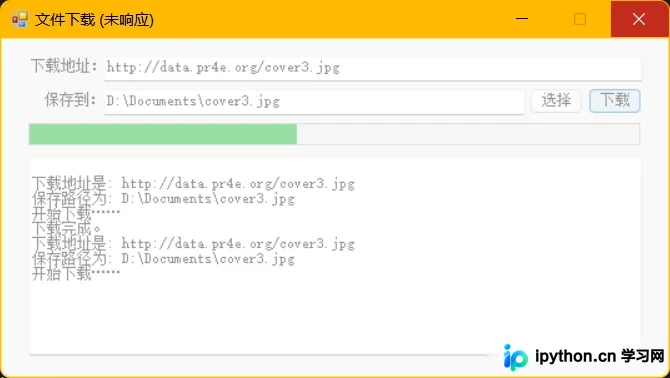
功能虽然实现,但存在一个疑似无法解决的问题:文件开始下载后,WinForm界面会出现卡顿现象。这可能是因为主窗体未使用现成线程打开所致,但为何仅在下载开始时出现卡顿尚不明确,若有高手能指导解决,将不胜感激。
总结
本文介绍了Python集成C#实现界面操作下载文件功能的全过程。更多相关Python界面操作及下载文件的内容,欢迎搜索本站历史文章或浏览后续文章,感谢大家的支持。
本站声明
本文内容仅供参考,不代表本站观点。转载或引用请注明出处。如发现内容问题,请通过联系我们页面反馈。















