


Python OpenCV实现基于模板的图像拼接

发布时间:2026-10-16 |
2人浏览过
本文介绍使用Python和OpenCV进行基于模板的图像拼接方法,旨在解决传统特征点拼接多张图时的累积误差问题。文章详细解析了模板区域选取的关键注意事项,确保左右图像均包含完整模板,并通过代码示例演示具体实现步骤,为提升拼接质量提供实用参考。
基于模板的图像拼接原理
传统的基于特征点的图像拼接方法在处理多张图片时,由于每次计算变换矩阵都会引入误差,最终可能导致拼接后的图像出现严重变形。相比之下,基于模板的拼接方法能够有效缓解这一问题,从而获得更高质量的拼接结果。
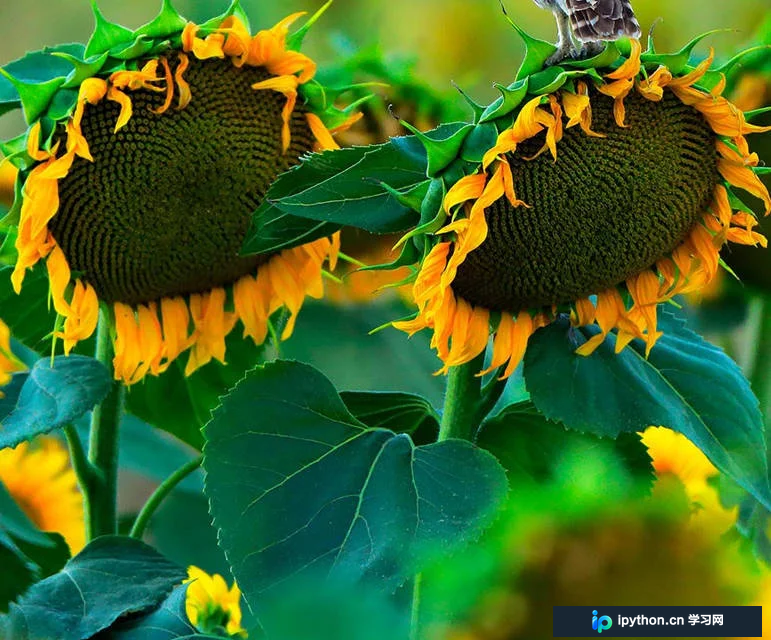
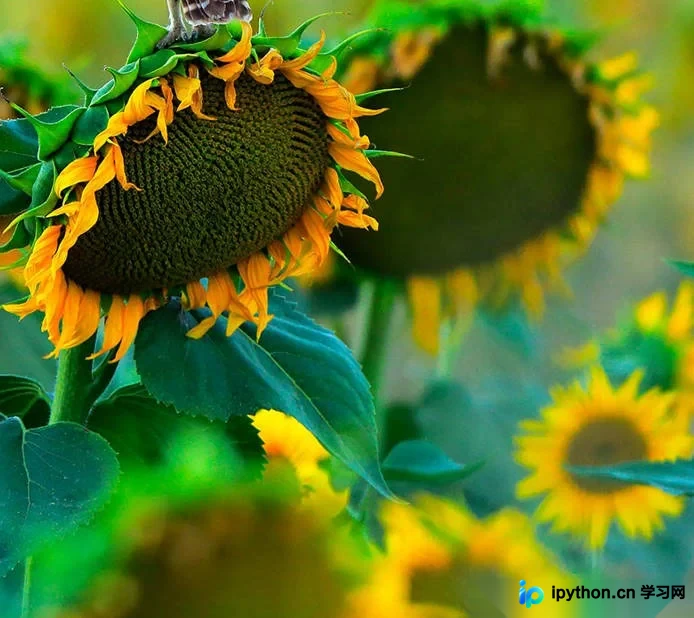
核心代码实现与模板选取
import cv2
import numpy as np


def matchStitch(imageLeft, imageRight):

    ImageLeft_gray = cv2.cvtColor(imageLeft,cv2.COLOR_BGR2GRAY)
    ImageRight_gray = cv2.cvtColor(imageRight,cv2.COLOR_BGR2GRAY)

    # cv2.imshow("gray", ImageLeft_gray)
    # cv2.waitKey()

    # 获取图像长宽
    height_Left, width_left = ImageLeft_gray.shape[:2]
    height_Right, width_Right = ImageRight_gray.shape[:2]

    # 模板区域
    left_width_begin = int(3*width_left/4)
    left_height_begin = 0
    template_left = imageLeft[left_height_begin:int(height_Left/2), left_width_begin: width_left]
    drawLeftRect = imageLeft.copy()
    cv2.rectangle(drawLeftRect, (left_width_begin, left_height_begin), (width_left, int(height_Left/2) ), (0, 0, 255), 1)

    cv2.imshow("template_left", drawLeftRect)
    # cv2.waitKey()
    # 右边匹配区域
    match_right = imageRight[0:height_Right, 0: int(2*width_Right/3)]
    # cv2.imshow("match_right", match_right)
    # cv2.waitKey()

    # 执行模板匹配,采用的匹配方式cv2.TM_CCOEFF_NORMED
    matchResult = cv2.matchTemplate(match_right, template_left, cv2.TM_CCOEFF_NORMED)
    # 归一化处理
    cv2.normalize( matchResult, matchResult, 0, 1, cv2.NORM_MINMAX, -1 )
    # 寻找矩阵(一维数组当做向量,用Mat定义)中的最大值和最小值的匹配结果及其位置
    min_val, max_val, min_loc, max_loc = cv2.minMaxLoc(matchResult)


    # 设置最终图片大小
    dstStitch = np.zeros((height_Left, width_Right + left_width_begin - max_loc[0] , 3), imageLeft.dtype)
    # imageLeft.dtype
    # print(imageLeft.dtype)
    height_dst, width_dst = dstStitch.shape[:2]
    # copy left image
    dstStitch[0:height_Left, 0:width_left] = imageLeft.copy()
    # cv2.imshow("src", dstStitch)

    # 匹配右图的高要能和目标区域一样
    matchRight_H = height_Right - max_loc[1] + left_height_begin
    dst_y_start = 0

    if height_dst == matchRight_H:
        matchRight = imageRight[max_loc[1] - left_height_begin: height_Right, max_loc[0]:width_Right]
    elif height_dst < matchRight_H:
        matchRight = imageRight[max_loc[1] - left_height_begin: height_Right - 1, max_loc[0]:width_Right]
    else:
        matchRight = imageRight[max_loc[1] - left_height_begin: height_Right, max_loc[0]:width_Right]
        dst_y_start = height_dst - matchRight_H

    # copy right image
    # matchRight = imageRight[max_loc[1] - left_height_begin: height_Right, max_loc[0]:width_Right]

    drawRightRect = imageRight.copy()
    h, w = template_left.shape[:2]
    cv2.rectangle(drawRightRect, (max_loc[0],max_loc[1]), (max_loc[0] + w, max_loc[1] + h ), (0, 0, 255), 1)
    #
    cv2.imshow("drawRightRect", drawRightRect)
    # cv2.imshow("matchRight", matchRight)

    # print("height_Right   " + str(height_Right - max_loc[1] + left_height_begin))
    # print("matchRight" + str(matchRight.shape))


    height_mr, width_mr = matchRight.shape[:2]
    # print("dstStitch" + str(dstStitch.shape))
    dstStitch[dst_y_start:height_dst, left_width_begin:width_mr + left_width_begin] = matchRight.copy()

    # # 图像融合处理相图相交的地方 效果不好
    # for i in range(0, height_dst):
    #     # if i + winHeight > height:
    #     #     i_heiht = True
    #     for j in range(0, width_dst):
    #         if j == left_width_begin:
    #
    #             j += 1
    #             (b1, g1, r1) = dstStitch[i, j]
    #             j -= 1
    #
    #             dstStitch[i, j] = (b1, g1, r1)


    # cv2.imwrite("fineFlower04.jpg", dstStitch)

    cv2.imshow("dstStitch", dstStitch)
    cv2.waitKey()


if __name__ == "__main__":

    # imageLeft = cv2.imread("Images/Scan/2.jpg")
    # imageRight = cv2.imread("Images/Scan/3.jpg")

    imageLeft = cv2.imread("Images/Scan/flower05.jpg")
    imageRight = cv2.imread("Images/Scan/flower06.jpg")
    if imageLeft is None or imageRight is None:
        print("NOTICE: No images")
    else:
        # cv2.imshow("image", imageLeft)
        # cv2.waitKey()
        matchStitch(imageLeft, imageRight)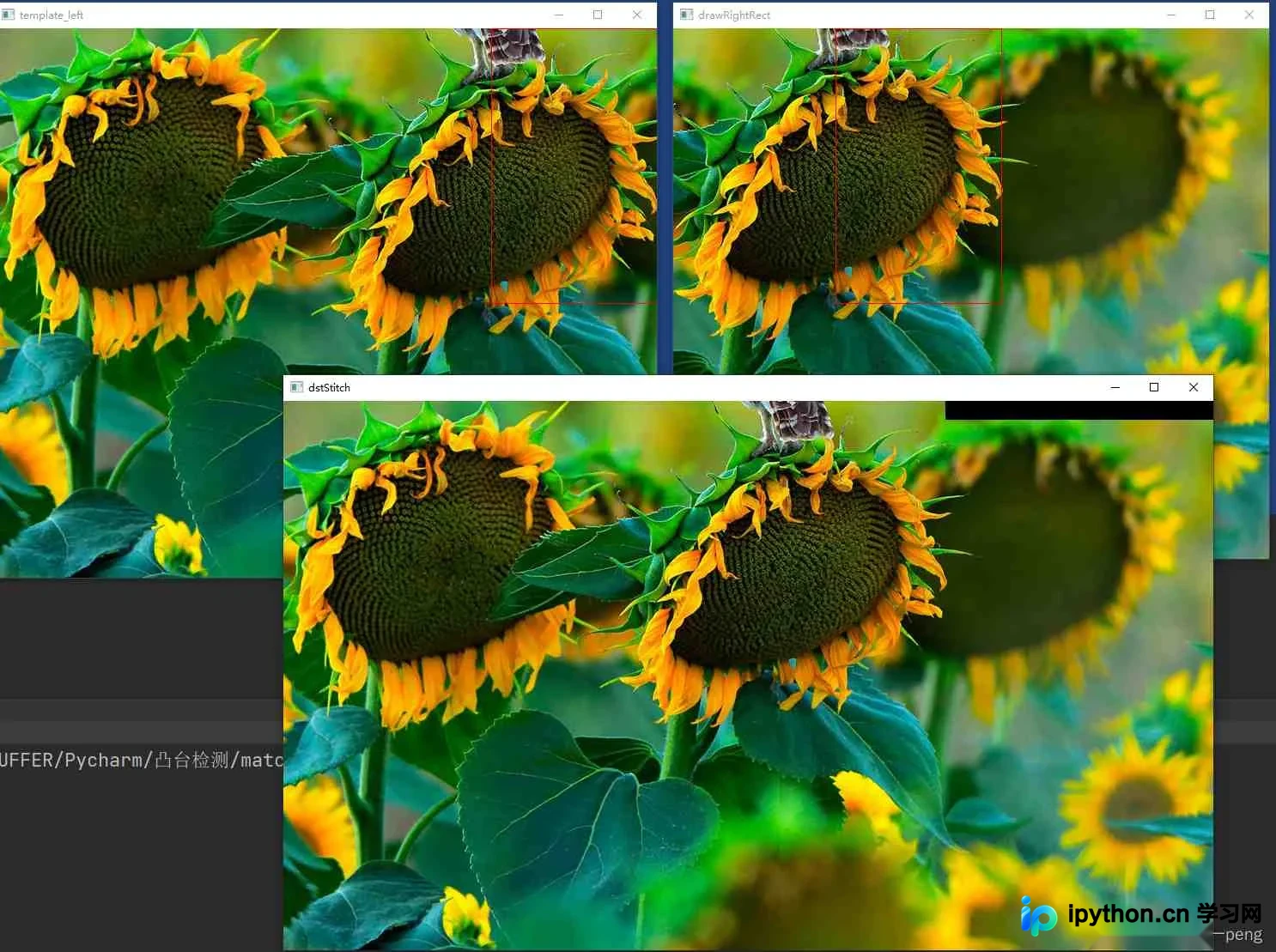
模板区域选取的关键注意事项
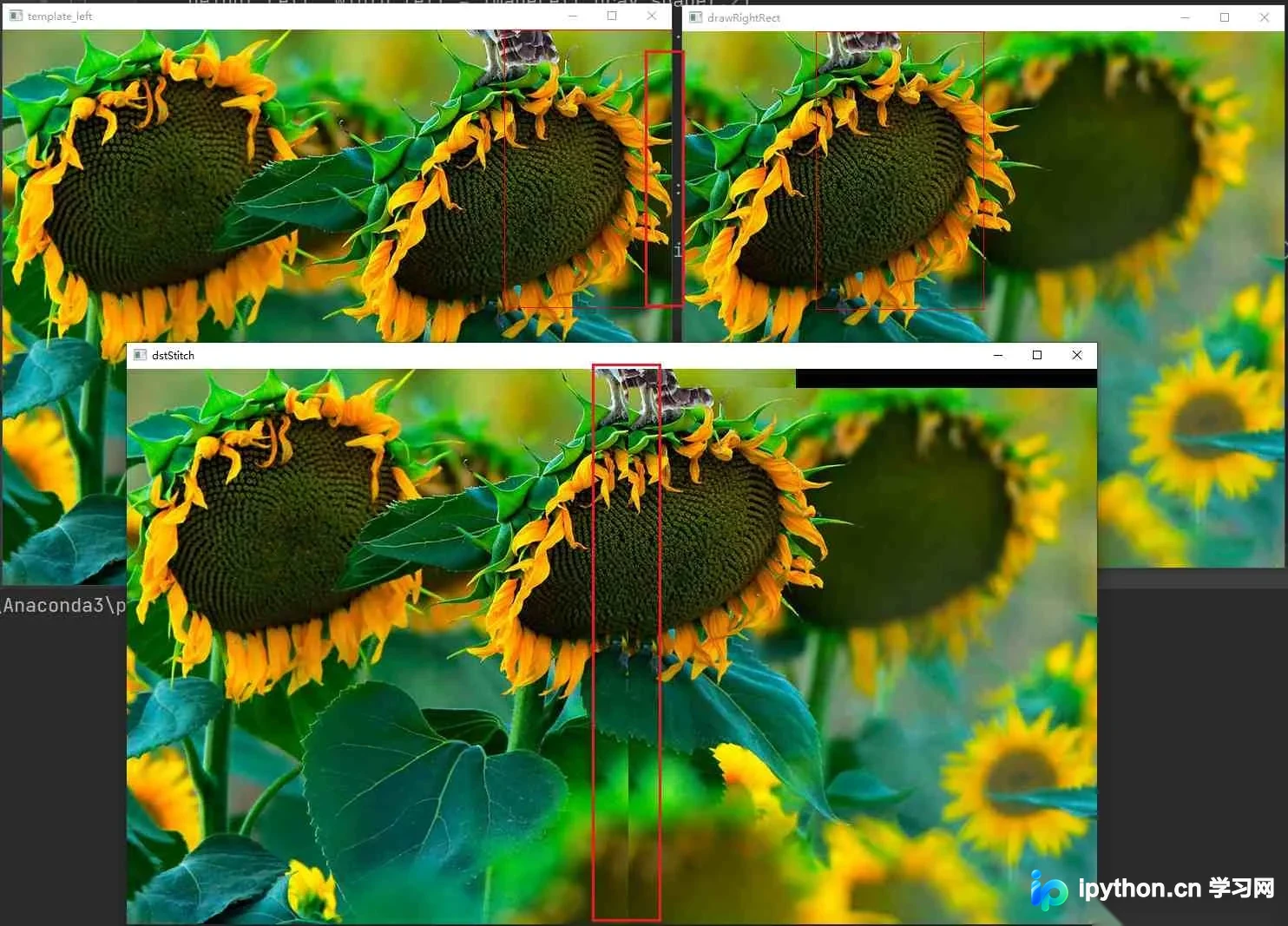
在计算过程中,必须确保模板区域在参与拼接的左右两张图像中均存在。若操作疏忽,导致左侧图像中的模板区域过大,而右侧图像中对应的匹配区域未能完整覆盖该模板,将会导致拼接结果出现错误。
右侧匹配区域定义
# 右边匹配区域
match_right = imageRight[0:height_Right, 0: int(width_Right/2)]
模板缺失对拼接效果的影响
若右侧图像的匹配区域仅覆盖了一半,导致部分模板内容缺失,最终生成的拼接图像效果将显著变差。
边缘处理与后续优化
目前该方法在边缘处理区域仍有改进空间,后续如有时间将进一步完善相关细节。
至此,关于Python OpenCV实现基于模板的图像拼接的介绍已结束。如需了解更多相关技术内容,可查阅本站过往文章或继续浏览后续章节。感谢大家的支持!
本站声明
本文内容仅供参考,不代表本站观点。转载或引用请注明出处。如发现内容问题,请通过联系我们页面反馈。















