


Python图像处理库Pillow入门:安装、截图与滤镜旋转实战

本文介绍Python图像处理库Pillow的安装方法及核心功能演示。通过pip install pillow完成安装后,利用ImageGrab.grab()实现屏幕截图并保存,结合ImageFilter.CONTOUR应用轮廓滤镜,以及使用rotate方法对图像进行旋转操作,帮助开发者快速掌握Pillow的基础图形处理技巧。
PIL与Pillow的区别
PIL(Python Imaging Library)曾是Python平台上的主流图像处理库。由于PIL无法兼容setuptools且长期未更新,社区开发者Alex Clark等人为了延续其生命力,对PIL进行了分支开发(fork),从而诞生了Pillow项目。
Pillow的核心目标
Pillow致力于推动和促进PIL的发展,主要采取以下策略:
- 结合Travis CI和AppVeyor平台进行持续集成测试
- 充分利用GitHub进行代码开发与管理
- 结合Python Package Index(PyPI)进行常规版本发布
可以看出,Pillow的改进重点在于CI(持续集成)和CD(持续交付)流程,旨在提升用户体验,通过定期且快速的沟通与交流,赢得了用户的广泛好评。
安装方法
安装Pillow非常简便,只需执行命令pip install pillow即可。
liumiaocn:~ liumiao$ pip install pillow
Collecting pillow
 Downloading https://files.pythonhosted.org/packages/df/aa/a25f211a4686f363d8ca5a1752c43a8f42459e70af13e20713d3e636f0af/Pillow-5.1.0-cp27-cp27m-macosx_10_6_intel.macosx_10_9_intel.macosx_10_9_x86_64.macosx_10_10_intel.macosx_10_10_x86_64.whl (3.6MB)
  100% |████████████████████████████████| 3.6MB 157kB/s
Installing collected packages: pillow
Successfully installed pillow-5.1.0
liumiaocn:~ liumiao$
安装验证
liumiaocn:~ liumiao$ pip show pillow
Name: Pillow
Version: 5.1.0
Summary: Python Imaging Library (Fork)
Home-page: https://python-pillow.org
Author: Alex Clark (Fork Author)
Author-email: aclark@aclark.net
License: Standard PIL License
Location: /usr/local/lib/python2.7/site-packages
Requires:
Required-by:
liumiaocn:~ liumiao$
基本使用
Pillow提供了众多实用的图像处理功能,下面选取几个典型功能进行简要演示。
ImageGrab.grab()方法
利用该方法可以实现屏幕截图功能,具体代码示例如下:
liumiaocn:tmp liumiao$ cat grab.python
#!/usr/local/bin/python
from PIL import ImageGrab
#get current screen copy
image = ImageGrab.grab()
#display image size
print("Current screen shot size :",image.size)
#display image mode
print("Screen shot picture mode :", image.mode)
#save picture to /tmp/screen-grab-1.bmp
image.save('/tmp/screen-grab-1.bmp')
#show picture
image.show()
liumiaocn:tmp liumiao$
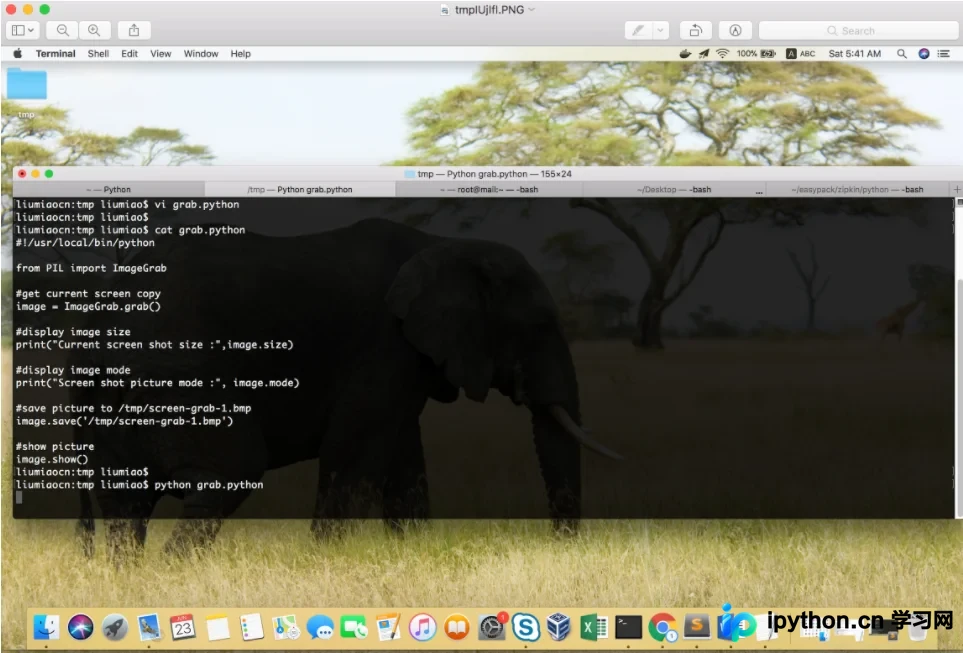
代码中调用了image.show()以显示图像,执行后不仅能在屏幕上看到截图预览,还能在/tmp目录下确认生成的文件。
liumiaocn:tmp liumiao$ python grab.python
('Current screen shot size :', (2880, 1800))
('Screen shot picture mode :', 'RGBA')
liumiaocn:tmp liumiao$ ls -l /tmp/screen-grab-1.bmp
-rw-r--r-- 1 liumiao wheel 20736054 Jun 23 05:41 /tmp/screen-grab-1.bmp
liumiaocn:tmp liumiao$
图像滤镜
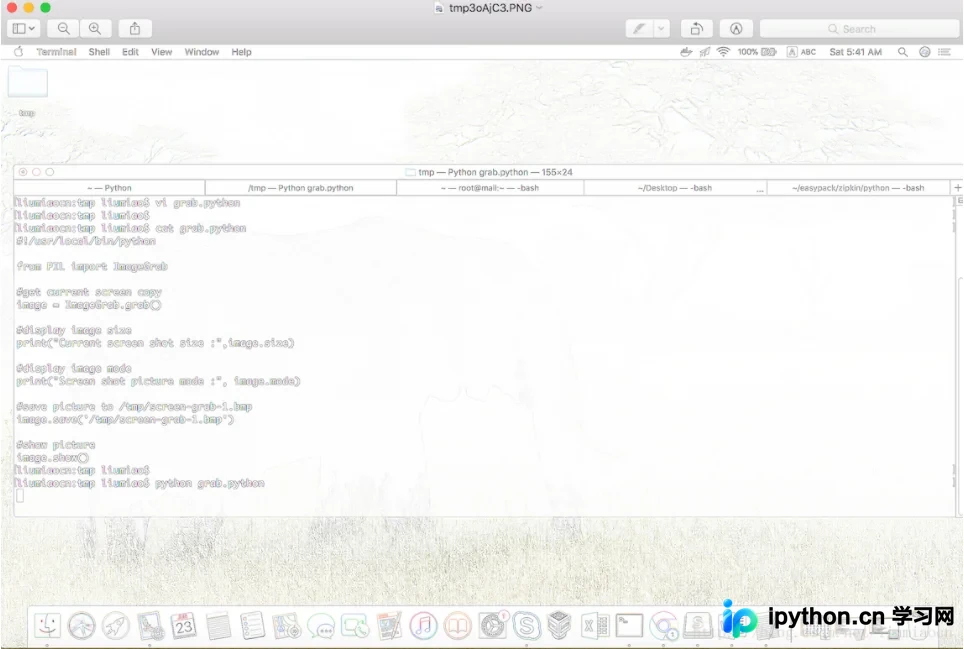
PIL中的ImageFilter模块支持近十种滤镜效果,例如对刚才截取的图片应用CONTOUR(轮廓)滤镜,代码如下:
liumiaocn:tmp liumiao$ cat filter-contour.py
#!/usr/local/bin/python
from PIL import ImageFilter, Image
src_image = Image.open('/tmp/screen-grab-1.bmp')
print("begin to filter the pic")
dst_image = src_image.filter(ImageFilter.CONTOUR)
print("picture through filter")
dst_image.show()
liumiaocn:tmp liumiao$
执行上述代码后,可获得经过滤镜处理后的图片效果。
图像旋转
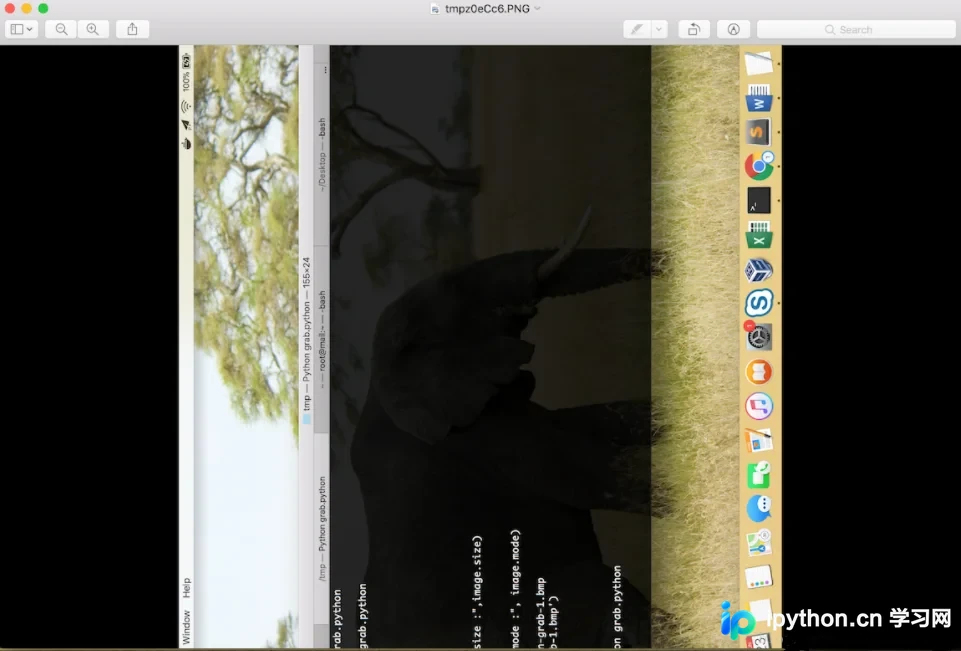
使用rotate方法即可对图片进行旋转操作,示例代码如下:
liumiaocn:tmp liumiao$ cat rotate.py
#!/usr/local/bin/python
from PIL import Image
src_image = Image.open('/tmp/screen-grab-1.bmp')
print("begin to rotate the pic")
dst_image = src_image.rotate(90)
print("picture after rotating")
dst_image.show()
liumiaocn:tmp liumiao$
运行代码后,即可确认图片已按指定角度旋转。
Pillow功能丰富且使用便捷,例如resize可调整图片尺寸,还支持添加文字等常见图形处理操作。此处不再一一赘述,如需了解更多细节,可参考官方文档链接:https://pypi.org/project/Pillow/。
总结
以上就是本文的全部内容,希望这些内容对您的学习或工作有所参考价值。感谢大家对本站的支持。如果您想深入了解相关知识,请查阅下方的相关链接。
本站声明
本文内容仅供参考,不代表本站观点。转载或引用请注明出处。如发现内容问题,请通过联系我们页面反馈。















