


Python实现图片转字符画:Pillow库安装与代码解析

发布时间:2026-10-14 |
3人浏览过
本文介绍如何使用Python将图片转换为字符画。首先指导通过pip安装Pillow模块,随后提供基于PIL库的完整转换代码。代码包含黑白模式与彩色模式两种转换逻辑,通过映射灰度值到字符集生成文本文件,并演示了图片尺寸调整及文件读写操作,供开发者参考学习。
Python图片转字符画实现
以下代码实例以一张人物图片作为测试素材进行演示。

若环境中尚未安装PIL相关模块,需先通过命令行工具进行安装。
执行命令:pip install pillow
核心转换代码解析
# -*- coding: utf-8 -*-
from PIL import Image

codeLib = '''@B%8&WM#*oahkbdpqwmZO0QLCJUYXzcvunxrjft/\|()1{}[]?-_+~<>i!lI;:,"^`'. '''#生成字符画所需的字符集
count = len(codeLib)

def transform1(image_file):
  image_file = image_file.convert("L")#转换为黑白图片,参数"L"表示黑白模式
  codePic = ''
  for h in range(0,image_file.size[1]): #size属性表示图片的分辨率,'0'为横向大小,'1'为纵向
    for w in range(0,image_file.size[0]):
      gray = image_file.getpixel((w,h)) #返回指定位置的像素,如果所打开的图像是多层次的图片,那这个方法就返回一个元组
      codePic = codePic + codeLib[int(((count-1)*gray)/256)]#建立灰度与字符集的映射
    codePic = codePic+'\r\n'
  return codePic

def transform2(image_file):
  codePic = ''
  for h in range(0,image_file.size[1]):
    for w in range(0,image_file.size[0]):
      g,r,b = image_file.getpixel((w,h))
      gray = int(r* 0.299+g* 0.587+b* 0.114)
      codePic = codePic + codeLib[int(((count-1)*gray)/256)]
    codePic = codePic+'\r\n'
  return codePic
fp = open(r'C:\路径\3.jpg','rb')
image_file = Image.open(fp)
image_file=image_file.resize((int(image_file.size[0]*0.2), int(image_file.size[1]*0.1)))#调整图片大小
print (u'Info:',image_file.size[0],' ',image_file.size[1],' ',count)

tmp = open('tmp.txt','w')
tmp.write(transform1(image_file))
tmp.close()
a,b,c=1,2,3
print(a,b,c)
转换后的字符画效果可能因图像细节丢失而难以辨认原图内容。
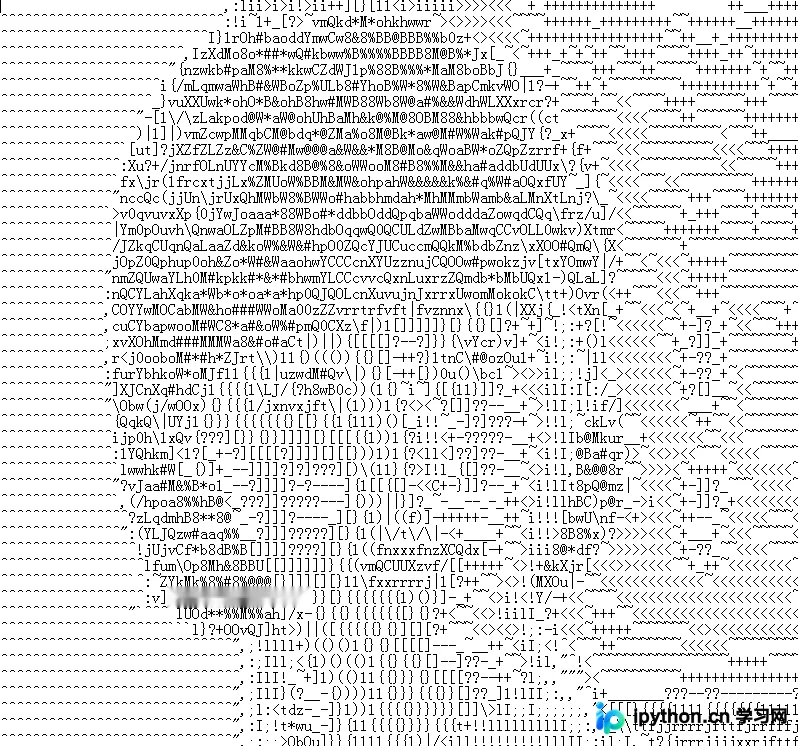
以上内容为本文核心代码与步骤分享,旨在协助读者理解Python图像处理基础,欢迎继续支持本站获取更多技术资源。
本站声明
本文内容仅供参考,不代表本站观点。转载或引用请注明出处。如发现内容问题,请通过联系我们页面反馈。















