


Windows 7 离线安装 Python requests 库完整指南

本文详细记录了在 Windows 7 环境下,针对 Python 3.8.9 版本进行离线安装 requests 库的完整流程。文章涵盖了从检查依赖包(chardet, idna, urllib3, certifi)到下载源码及 whl 文件,再到通过命令行逐一安装依赖并最终安装 requests 的全过程。特别指出了在 Win7 系统中可能遇到的 pip 解析器警告及忽略报错的方法,帮助用户在无网络环境下成功配置开发环境。
前言
本文详细记录了在 Win7 系统中离线安装 Python requests 库的具体步骤,重点包含对 requests 所需依赖包的处理过程。
测试环境为 Windows 7,Python 版本为 3.8.9(这是 Win7 支持的最新 Python 版本),且目标机器无法连接互联网。
1、下载安装包
1.1 检查 requests 模块所需依赖包
在一台已安装 Python 且可联网的机器上,检查 requests 模块依赖哪些包。若这些依赖未安装,直接安装 requests 将无法正常使用。
使用以下命令进行检查:
pip show requests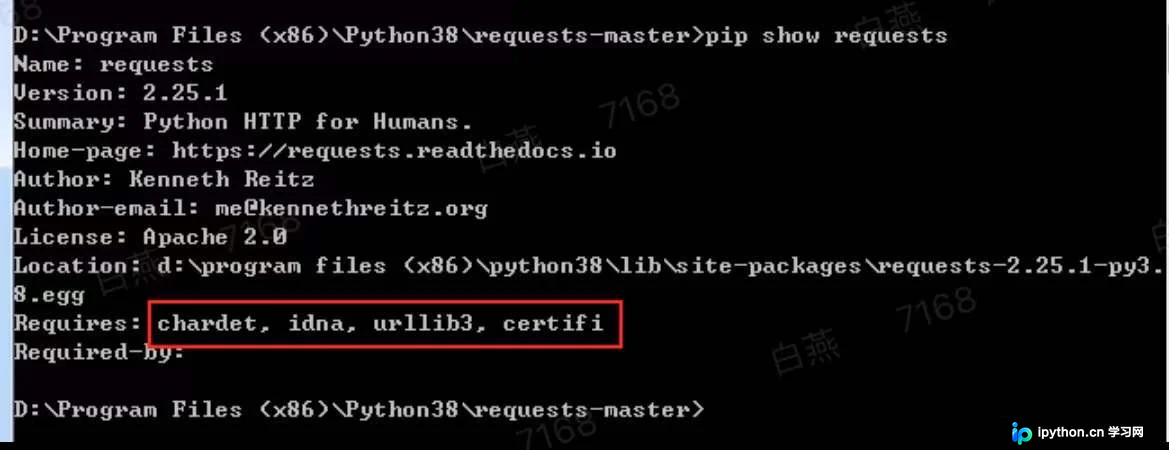
结果显示需要 chardet、idna、urllib3 和 certifi 这四个依赖包。
需确认这些依赖包是否已安装,若未安装,则需手动安装。
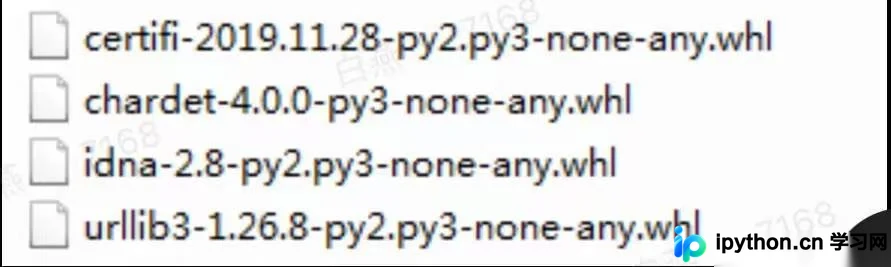
1.2 下载 requests 所需依赖包
访问网站 https://www.lfd.uci.edu/~gohlke/pythonlibs 找到对应的程序文件,下载后传输至目标机器。
1.3 下载 requests 包
从 GitHub 下载 requests 源码包并传输至目标机器。
下载地址:https://github.com/kennethreitz/requests
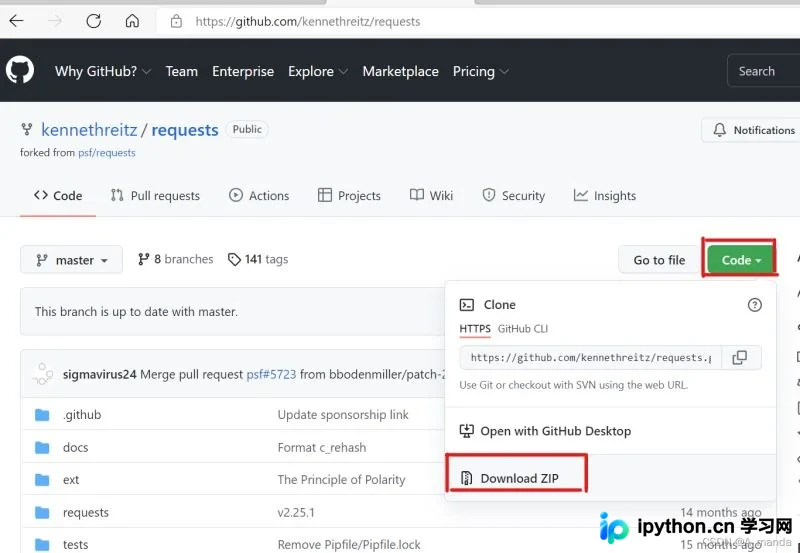
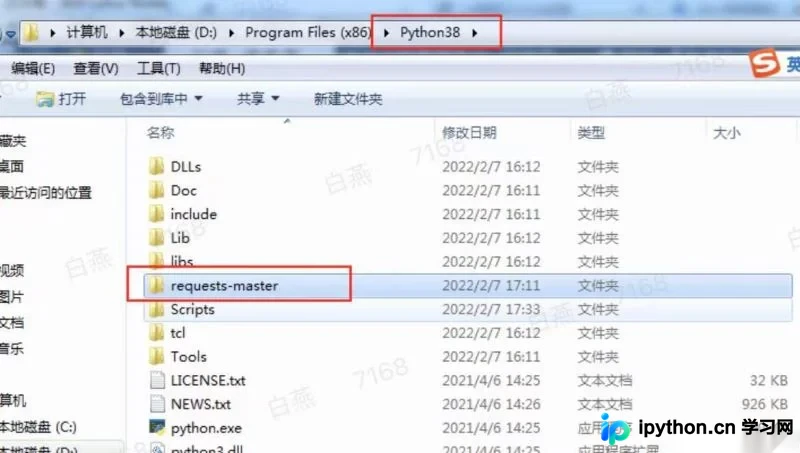
将 requests-master.zip 解压至 Python 的安装目录中。
2、安装
2.1 安装 requests 所需依赖包
安装命令如下:
pip install xx.whl如截图所示,最后一个依赖包显示正常安装成功,前三个虽有报错信息,但经验证并不影响 requests 的最终安装。
D:\python-lib>pip install urllib3-1.26.8-py2.py3-none-any.whl
Processing d:\python-lib\urllib3-1.26.8-py2.py3-none-any.whl
Installing collected packages: urllib3
ERROR: After October 2020 you may experience errors when installing or updating packages.
This is because pip will change the way that it resolves dependency conflicts.

We recommend you use --use-feature=2020-resolver to test your packages with the
new resolver before it becomes the default.

requests 2.25.1 requires certifi>=2017.4.17, which is not installed.
requests 2.25.1 requires chardet<5,>=3.0.2, which is not installed.
requests 2.25.1 requires idna<3,>=2.5, which is not installed.
Successfully installed urllib3-1.26.8

D:\python-lib>pip install chardet-4.0.0-py3-none-any.whl
Processing d:\python-lib\chardet-4.0.0-py3-none-any.whl
Installing collected packages: chardet
ERROR: After October 2020 you may experience errors when installing or updating
packages. This is because pip will change the way that it resolves dependency co
nflicts.

We recommend you use --use-feature=2020-resolver to test your packages with the
new resolver before it becomes the default.

requests 2.25.1 requires certifi>=2017.4.17, which is not installed.
requests 2.25.1 requires idna<3,>=2.5, which is not installed.
Successfully installed chardet-4.0.0

D:\python-lib>pip install certifi-2019.11.28-py2.py3-none-any.whl
Processing d:\python-lib\certifi-2019.11.28-py2.py3-none-any.whl
Installing collected packages: certifi
ERROR: After October 2020 you may experience errors when installing or updating
packages. This is because pip will change the way that it resolves dependency co
nflicts.

We recommend you use --use-feature=2020-resolver to test your packages with the
new resolver before it becomes the default.

requests 2.25.1 requires idna<3,>=2.5, which is not installed.
Successfully installed certifi-2019.11.28

D:\python-lib>pip install idna-2.8-py2.py3-none-any.whl
Processing d:\python-lib\idna-2.8-py2.py3-none-any.whl
Installing collected packages: idna
Successfully installed idna-2.8

D:\python-lib>
2.2 安装 requests
在解压后的 requests-master 目录下打开 cmd(或在 cmd 中切换至该路径)。
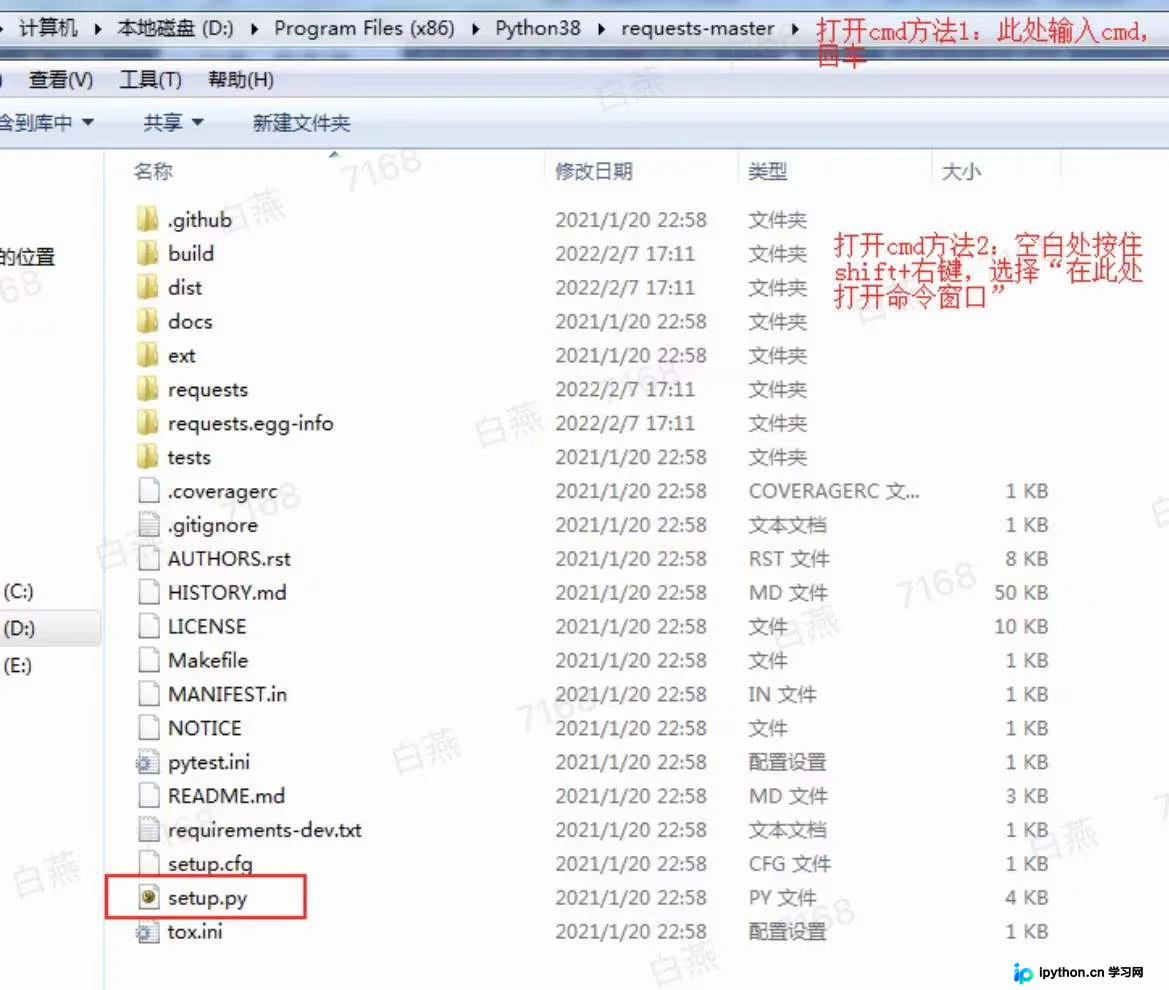
输入命令开始安装。
python setup.py install3、检查是否安装成功
在 Python 环境中执行 import requests 以验证安装结果。
总结
至此,关于离线安装 Python requests 库的方法介绍完毕。如需了解更多 Python requests 库离线安装相关内容,请搜索本站历史文章或继续浏览后续文章,希望大家以后多多支持本站!
本站声明
本文内容仅供参考,不代表本站观点。转载或引用请注明出处。如发现内容问题,请通过联系我们页面反馈。















