



在 .NET 8 以前,开发者做分组计数或分组聚合,通常都要从 GroupBy 起步。问题不在于它不能用,而在于很多“只想要结果”的场景,其实并不需要完整的分组对象,写起来也显得偏重。
到了 .NET 9(C# 13),LINQ 正式加入 CountBy 和 AggregateBy 两个扩展方法。下面就围绕“什么时候该用它们、和 GroupBy 差在哪、真实代码里该怎么选”这几个问题展开,顺手把版本要求、性能判断和常见边界条件一起理清。
为什么 .NET 9 要补上 CountBy 和 AggregateBy
传统写法里,简单的分类统计通常是这样写:
var query = list.GroupBy(x => x.Category)
                .Select(g => new { Category = g.Key, Count = g.Count() });
这类代码当然可读,但对“只需要键和统计结果”的任务来说,还是有两个明显问题:
- 代码链路偏长,表达目标不够直接;
- 为了最终的计数或聚合,先创建中间
IGrouping对象,开销并不总是必要。
因此,.NET 9 增加了两个更聚焦的 API:
CountBy:按键快速计数;AggregateBy:按键快速聚合。
它们都直接返回键值对结果,适合频率统计、求和、最大值、字符串拼接这类明确的结果型场景。
CountBy 和 AggregateBy 到底解决什么问题
CountBy:把分组计数压缩成一步
CountBy 用于按键分组,并统计每个键出现的次数。它本质上相当于 GroupBy(...).Select(...g.Count()) 的直接版。
方法签名如下:
public static IEnumerable<KeyValuePair<TKey, int>> CountBy<TSource, TKey>(
    this IEnumerable<TSource> source,
    Func<TSource, TKey> keySelector,
    IEqualityComparer<TKey>? comparer = null)
source:输入集合,类型为IEnumerable<TSource>;keySelector:从元素中提取分组键;comparer:可选键比较器,未提供时使用EqualityComparer<TKey>.Default;- 返回值:
IEnumerable<KeyValuePair<TKey, int>>。
AggregateBy:保留按键分组,但把聚合逻辑交给你
AggregateBy 用于按键分组,并对每个分组执行自定义聚合。它适合的不只是计数,还包括求和、最大值、最小值、字符串拼接,甚至构建复杂对象。
方法签名如下:
public static IEnumerable<KeyValuePair<TKey, TResult>> AggregateBy<TSource, TKey, TAccumulate, TResult>(
    this IEnumerable<TSource> source,
    Func<TSource, TKey> keySelector,
    TAccumulate seed,
    Func<TAccumulate, TSource, TAccumulate> func,
    Func<TKey, TAccumulate, TResult> resultSelector,
    IEqualityComparer<TKey>? comparer = null)
参数含义可以直接对应到普通 Aggregate 的思路:
source:输入集合;keySelector:分组键选择器;seed:每个分组的初始累积值;func:聚合函数,定义如何累加当前元素;resultSelector:将键和最终累积值转换为结果;comparer:可选键比较器。
和 GroupBy 相比,这两个 API 的共同点是:目标更明确,且直接生成键值对结果。
CountBy 怎么用,适合哪些计数场景
基础计数:水果出现次数
var fruits = new[] { "apple", "banana", "apple", "orange", "banana", "apple" };

var result = fruits.CountBy(f => f);

foreach (var kv in result)
{
    Console.WriteLine($"{kv.Key}: {kv.Value}");
}
输出:
apple: 3
banana: 2
orange: 1
它等价于:
fruits.GroupBy(f => f).Select(g => new KeyValuePair<string,int>(g.Key, g.Count()));
如果你的目标只是“按键统计次数”,CountBy 的表达就更直接。
自定义键:按奇偶分组计数
var numbers = new[] { 1, 2, 3, 4, 5, 6 };
var result = numbers.CountBy(n => n % 2 == 0 ? "Even" : "Odd");
输出:
Odd: 3
Even: 3
这里的重点不是元素本身,而是 keySelector 可以把原始数据投影成新的分类标准。
使用比较器:忽略大小写
var names = new[] { "apple", "Apple", "APPLE", "banana" };
var counts = names.CountBy(name => name, StringComparer.OrdinalIgnoreCase);

foreach (var kvp in counts)
{
    Console.WriteLine($"{kvp.Key}: {kvp.Value}");
}
// 输出:
// apple: 3
// banana: 1
这里通过 StringComparer.OrdinalIgnoreCase 把大小写不同的字符串视为同一个键,这也是 CountBy 在文本统计里很常见的用法。
AggregateBy 的核心价值:不止求和,还能构建结果
按类别求和
var orders = new[]
{
    new { Category = "Book", Price = 10 },
    new { Category = "Book", Price = 20 },
    new { Category = "Food", Price = 5 },
    new { Category = "Food", Price = 7 },
};

var result = orders.AggregateBy(
    keySelector: o => o.Category,
    seed: 0m,
    accumulator: (sum, item) => sum + item.Price
);

foreach (var kv in result)
{
    Console.WriteLine($"{kv.Key}: {kv.Value}");
}
输出:
Book: 30
Food: 12
等价写法是:
orders.GroupBy(o => o.Category)
      .Select(g => new KeyValuePair<string,decimal>(g.Key, g.Sum(x => x.Price)));
在这种场景下,AggregateBy 就是把“按键分组 + 求和”合成一步。
字符串拼接
var names = new[]
{
    new { Group = "A", Name = "Alice" },
    new { Group = "A", Name = "Alex" },
    new { Group = "B", Name = "Bob" },
};

var result = names.AggregateBy(
    keySelector: n => n.Group,
    seed: "",
    accumulator: (s, n) => s == "" ? n.Name : $"{s}, {n.Name}"
);

foreach (var kv in result)
{
    Console.WriteLine($"{kv.Key}: {kv.Value}");
}
输出:
A: Alice, Alex
B: Bob
这说明 AggregateBy 的适用面远不止数值聚合,任何“按组累计生成结果”的逻辑都可以放进去。
自定义结果:统计分组最大值
var items = new[]
{
    new { Category = "A", Value = 10 },
    new { Category = "B", Value = 20 },
    new { Category = "A", Value = 15 }
};

var maxValues = items.AggregateBy(
    item => item.Category,          // 按类别分组
    seed: int.MinValue,             // 初始值为最小整数
    (max, item) => Math.Max(max, item.Value), // 取最大值
    (key, max) => max);             // 返回最大值

foreach (var kvp in maxValues)
{
    Console.WriteLine($"{kvp.Key}: {kvp.Value}");
}
// 输出:
// A: 15
// B: 20
这类需求如果用 GroupBy 写也能完成,但用 AggregateBy 更能一眼看出“我要按键累计出一个最大值”。
和 GroupBy 怎么选:先看你需不需要分组本身
CountBy vs AggregateBy
| 特性 | CountBy | AggregateBy |
|---|---|---|
| 功能 | 仅计数 | 自定义任何聚合操作 |
| 返回类型 | IEnumerable<KeyValuePair<TKey,int>> | IEnumerable<KeyValuePair<TKey,TAccumulate>> |
| 复杂度 | 更简洁 | 更灵活,但需提供 seed 和 accumulator |
| 适用场景 | 频率统计 | 求和、平均值、拼接字符串、自定义聚合等 |
什么情况下 GroupBy 仍然更合适
CountBy 和 AggregateBy 并不是要取代所有 GroupBy 用法。判断标准很简单:
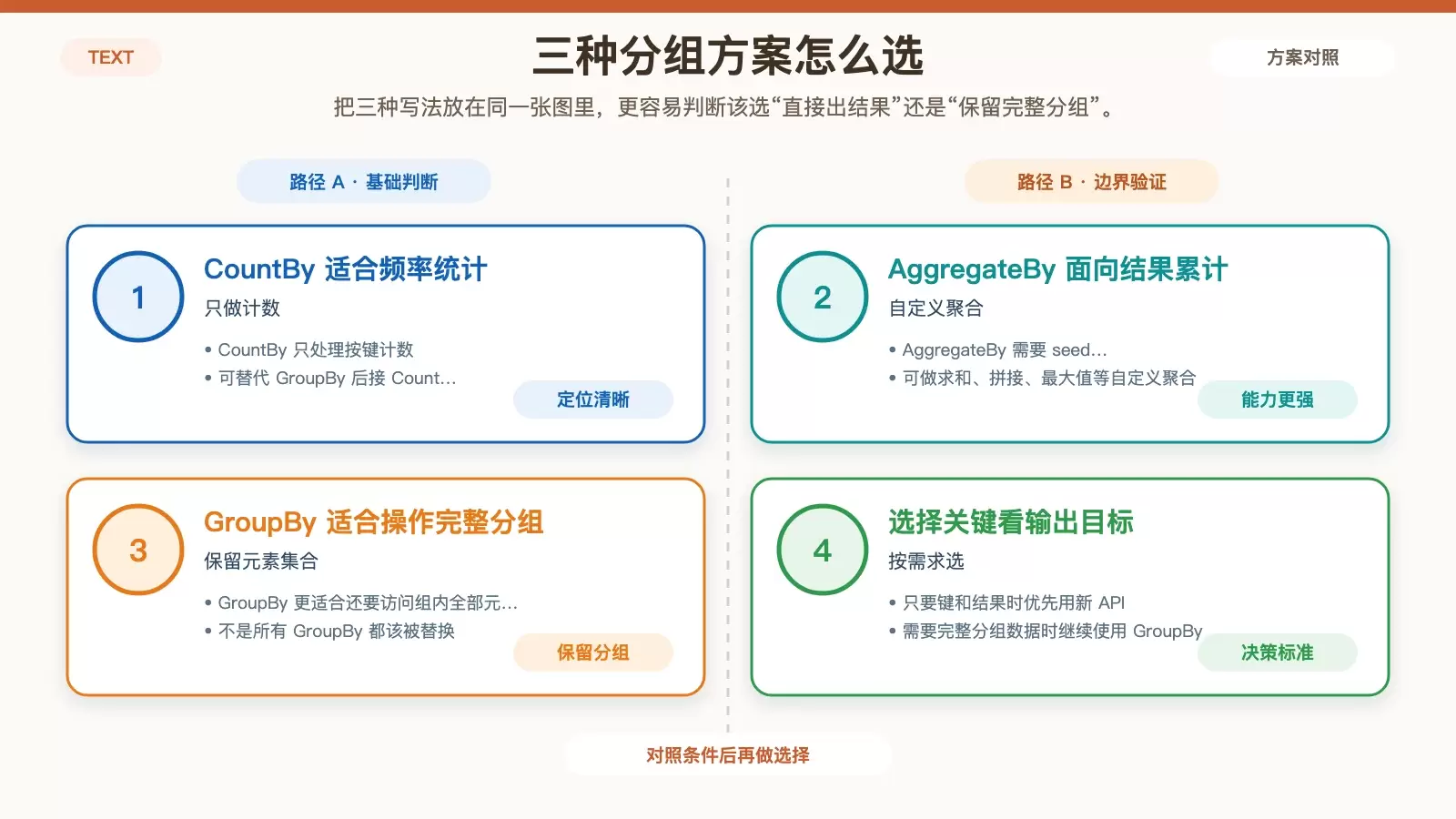
- 如果你只需要“键 + 结果”,优先考虑
CountBy或AggregateBy; - 如果你需要访问每个分组里的全部元素,继续使用
GroupBy。
也就是说,它们替代的是结果型统计,不是完整的分组建模。
性能和实战价值体现在哪
为什么通常比 GroupBy 更轻
与 GroupBy 相比,CountBy / AggregateBy 的性能优势主要来自三点:
- 只执行一次遍历;
- 内部使用哈希表累积结果;
- 避免创建中间
IGrouping对象,减少内存分配。
因此在大数据集、频繁统计或在线处理场景中,这两个方法通常更值得优先考虑。
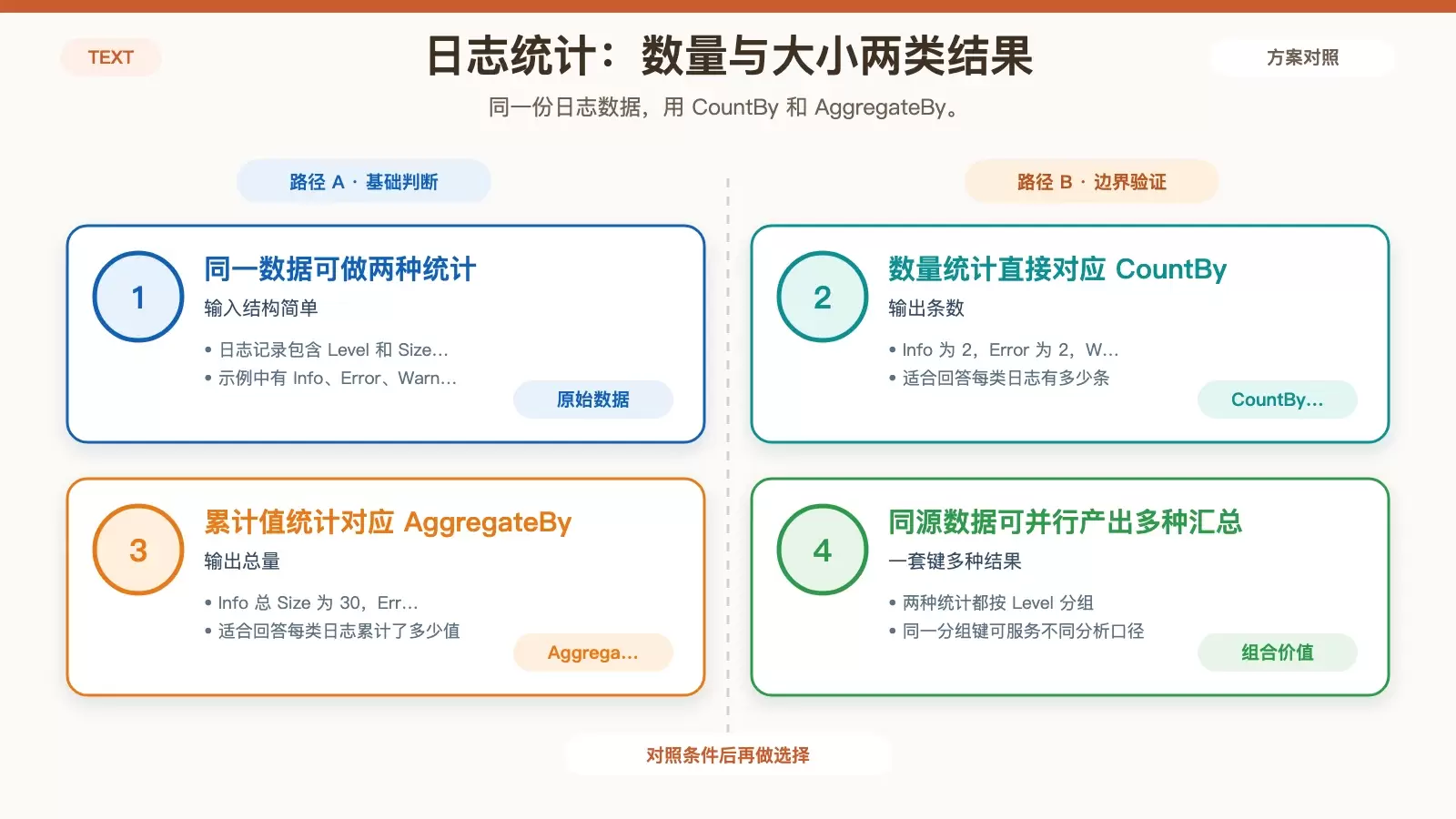
实战示例:日志数量与大小统计
record Log(string Level, int Size);

var logs = new[]
{
    new Log("Info", 10),
    new Log("Error", 5),
    new Log("Info", 20),
    new Log("Error", 15),
    new Log("Warning", 7)
};

// 统计不同 Level 的日志数量
var count = logs.CountBy(l => l.Level);

// 统计不同 Level 的总 Size
var size = logs.AggregateBy(l => l.Level, 0, (sum, log) => sum + log.Size);
输出:
---Count---
Info: 2
Error: 2
Warning: 1

---Size---
Info: 30
Error: 20
Warning: 7
这正好对应两个典型需求:一个是“每类有多少条”,另一个是“每类累计多少值”。前者天然适合 CountBy,后者天然适合 AggregateBy。
统计单词频率并排序
var text = "the quick brown fox jumps over the lazy dog the quick fox";
var words = text.Split(' ');
var wordCounts = words.CountBy(word => word, StringComparer.OrdinalIgnoreCase)
                      .OrderByDescending(kvp => kvp.Value);

foreach (var kvp in wordCounts)
{
    Console.WriteLine($"{kvp.Key}: {kvp.Value}");
}
// 输出:
// the: 3
// quick: 2
// fox: 2
// brown: 1
// jumps: 1
// over: 1
// lazy: 1
// dog: 1
这类文本分析任务里,CountBy 和比较器、排序链式组合起来会非常顺手。
复杂聚合:按客户构建汇总对象
var orders = new[]
{
    new { Customer = "Alice", Amount = 100, Item = "Laptop" },
    new { Customer = "Bob", Amount = 50, Item = "Mouse" },
    new { Customer = "Alice", Amount = 200, Item = "Phone" }
};

var summaries = orders.AggregateBy(
    order => order.Customer,
    seed: new { Total = 0, Items = new List<string>() },
    (acc, order) => new { Total = acc.Total + order.Amount, Items = acc.Items.Append(order.Item).ToList() },
    (key, acc) => new { Customer = key, acc.Total, acc.Items });

foreach (var summary in summaries)
{
    Console.WriteLine($"{summary.Customer}: Total = {summary.Total}, Items = {string.Join(", ", summary.Items)}");
}
// 输出:
// Alice: Total = 300, Items = Laptop, Phone
// Bob: Total = 50, Items = Mouse
如果你需要的不是单个数字,而是一个按键整理后的结果对象,AggregateBy 的价值就会更明显。
上手前要注意的版本和边界条件
版本要求
CountBy和AggregateBy是C# 13(.NET 9)的新特性,目标框架需要是.NET 9.0或更高;- 较低版本仍可用
GroupBy + Count或Aggregate替代,只是写法和性能都不如新 API 直接。
比较器、延迟执行与异常处理
- 默认使用
EqualityComparer<TKey>.Default; - 对自定义类型或特殊相等规则,需提供
IEqualityComparer<TKey>; - 返回的
IEnumerable<KeyValuePair<TKey, TValue>>是延迟求值的,如需持久化可调用ToList()或ToDictionary(); - 如果
source为null,会抛出ArgumentNullException; - 如果
keySelector或func内部抛出异常,需要在调用方处理。
结论:把 GroupBy 留给分组本身,把新 API 留给结果型统计
| 方法 | 用途 | 替代旧写法 | 场景示例 |
|---|---|---|---|
CountBy | 按键分组计数 | GroupBy().Select(g => g.Count()) | 商品销量、用户角色人数 |
AggregateBy | 按键分组并执行自定义聚合 | GroupBy().Aggregate() 或 GroupBy().Sum() | 日志大小总和、字符串拼接 |
如果你只关心每个键对应的最终结果,CountBy 和 AggregateBy 会比 GroupBy 更贴切。只有在你确实需要分组中的完整元素集合时,GroupBy 才是更自然的选择。















